
Article
CRM Recruiting: How to Choose and Test a Solution

CRM Recruiting: How to Choose and Test a Solution
For most staffing teams and in-house talent acquisition groups, JobsAI Enterprise is the recruiting CRM worth trialing first. It pairs candidate relationship management with AI screening in one workspace, instead of forcing you to stitch together a CRM, an ATS, and a spreadsheet of outreach templates.
Three things make it the default recommendation:
- Candidate engagement improves fast. Automated, multi-channel follow-up catches candidates who’d otherwise go cold between recruiter check-ins.
- Pipeline reuse gets easier. Past applicants become searchable, taggable talent pools instead of dead records in an old spreadsheet.
- Repetitive screening work shrinks. AI resume matching handles the first pass so recruiters spend their time on conversations, not keyword scanning.
The right next step is a short, timeboxed trial. Before you sign anything, use it to confirm three things: how cleanly your existing data migrates, whether automated outreach sequences actually run without manual patching, and whether the AI candidate matching holds up against roles your team already knows well.
Key Takeaways
A recruiting CRM works best when it combines candidate relationship management with AI screening in one system, since disconnected tools recreate the same follow-up gaps and manual re-screening that they’re meant to fix.
| Point | Details |
|---|---|
| CRM and ATS solve different problems | A CRM nurtures candidate relationships over time; an ATS tracks one role’s application funnel. |
| AI screening needs validation | Treat AI-ranked shortlists as a fast first filter, then confirm top matches against known strong-fit hires. |
| Readiness signals matter before buying | Forgotten follow-ups, repeated manual re-screening, and scattered sourcing data all signal it’s time to invest. |
| Migration success depends on cleanup | Deduplicate records before import, then run a second dedupe pass after migration completes. |
| JobsAI Enterprise fits most teams first | It pairs CRM and AI screening in one workspace, making it a practical starting point for a 30-day pilot. |
Table of Contents
- Which CRM Fits Your Recruiting Use Case?
- What Is a Recruitment CRM and How Does It Differ From an ATS?
- What Features Should a Recruiting CRM Have in 2026?
- Do You Actually Need a Recruitment CRM Right Now?
- How Do You Evaluate and Choose the Right Vendor?
- How JobsAI Enterprise Meets These Recruiting CRM Needs
- Migrating to a New CRM: 30/60/90 Day Checklist
- What Does a Recruiting CRM Cost, and What’s the ROI?
- Ready to Test JobsAI Enterprise Against Your Own Data?
- Sources
- FAQ
Which CRM Fits Your Recruiting Use Case?
The right recruiting CRM depends heavily on how your team sources, tracks, and re-engages candidates. Here’s a quick-reference by scenario.
- Staffing agencies with high placement volume: JobsAI Enterprise fits well because it combines candidate relationship management with AI matching, so recruiters aren’t manually re-screening the same talent pool for every new req. Trial test: check how fast the system builds a qualified shortlist from an existing candidate database for a role you’ve filled before.
- In-house talent acquisition teams: JobsAI Enterprise’s workflow automation and hiring manager collaboration tools reduce the back-and-forth between recruiters and department heads. Trial test: run one full requisition through the hiring manager workspace and time how long approval cycles take compared to your current process.
- High-volume hourly hiring: Bulk outreach across email, SMS, and WhatsApp matters more than deep candidate enrichment here. Trial test: measure response rate on a single campaign sent to a few hundred applicants at once.
- Executive search and retained search: Relationship depth and long-term candidate nurturing matter more than speed. Trial test: check how well the CRM tracks touchpoints over months, not days, and whether notes and history stay attached to a candidate across multiple searches.
- Small teams making a handful of hires a year: A lightweight contact manager or a spreadsheet may genuinely be enough. A full recruiting CRM starts paying off once you’re juggling more open reqs than one recruiter can track by memory, or once candidates start slipping through follow-up gaps.
The pattern across every scenario is the same: the CRM should shorten the distance between “candidate applies” and “candidate hears back,” while keeping every past applicant usable for the next search. Vendor guidance from HubSpot’s recruiting CRM overview frames this the same way, describing recruitment CRM as software built to centralize candidate relationships rather than just track applications.
What Is a Recruitment CRM and How Does It Differ From an ATS?
A recruitment CRM, sometimes called a candidate relationship management system, is software built to nurture relationships with job seekers before, during, and after they apply. Think of an ATS as the funnel that moves a candidate through your hiring stages for one specific job, and think of a CRM as the pipeline that holds every candidate you’ve ever talked to, whether they’re actively applying right now or not.
That distinction gets confused constantly, because most modern platforms blend both. Here’s the practical breakdown:
- Purpose: An ATS manages the application-to-hire process for a specific role. A CRM manages the relationship with a person across every role they might ever be a fit for.
- Typical workflow: ATS workflows are linear (applied, screened, interviewed, offered). CRM workflows are cyclical (sourced, nurtured, re-engaged, submitted, nurtured again).
- Time savings: An ATS saves time on compliance and status tracking for open reqs. A CRM saves time on sourcing, because you’re searching a warm database instead of starting from zero every time.
Teams that need both usually run into the same friction point: candidate data living in two systems that don’t talk to each other, so a candidate rejected from one role never resurfaces for a better-fit role six months later. Platforms like Vtiger, a general CRM that bundles sales, support, and marketing modules, illustrate the broader pattern: relationship management works best when it’s one connected system, not a patchwork of tools with separate logins. Recruitment CRM software applies that same logic to candidates instead of customers, which is why platforms like JobsAI Enterprise’s recruiting CRM guide fold ATS-style tracking and CRM-style nurturing into a single workspace.
What Features Should a Recruiting CRM Have in 2026?
The features that separate a genuinely useful recruiting CRM from a glorified contact list have shifted in the last few years, largely because AI has taken over tasks that used to require a recruiter’s full attention.
- Candidate profiles and enrichment: Automatically pulled skills, work history, and contact details reduce manual data entry and cut time-to-first-contact.
- Multi-channel outreach (email, SMS, WhatsApp): Reaching candidates where they actually respond tends to move response rates more than any single-channel tactic.
- Campaign sequencing: Pre-built follow-up cadences keep candidates warm without a recruiter manually tracking who’s due for a check-in, a discipline covered in more depth in candidate follow-up best practices.
- AI resume screening and ranking: This is the feature that moves time-to-fill the most, since it removes the bulk of manual review from the front of the funnel.
- Two-way calendar sync and interview automation: Fewer scheduling emails, fewer no-shows, faster movement from shortlist to interview.
- Integrations with ATS, job boards, and LinkedIn: Sourcing data flows in automatically instead of requiring recruiters to copy-paste candidate details between tabs.
- Analytics and reporting: Visibility into pipeline reuse and conversion rates, the kind detailed in candidate engagement tracking guidance, tells you which sourcing channels are actually working.
- Role-based access and scalability: As teams grow past a handful of recruiters, seat controls and permission tiers stop a small agency’s system from becoming an admin headache at fifty seats.
Pro Tip: Test AI screening against a role you’ve already filled successfully. If the AI’s top five candidates would have made your actual shortlist, it’s calibrated well enough to trust on new reqs.
On realistic AI expectations: AI resume matching is reliably good at narrowing a large applicant pool down to a manageable shortlist based on hard requirements, like years of experience, certifications, or specific tools. It is not yet reliable at fully replacing human judgment on culture fit, soft skills, or nuanced career trajectory reads. Vtiger’s own breakdown of recruitment CRM pros and cons makes a similar point: automation speeds up the mechanical parts of recruiting, but data hygiene and human review still determine whether the output is trustworthy. Treat AI screening as a fast first filter, not a final decision-maker, and validate the top matches before advancing them.
Do You Actually Need a Recruitment CRM Right Now?
Not every team needs one immediately, and buying too early just adds a subscription nobody logs into. The need becomes clear once specific patterns show up in how your team already works.
Staffing agencies juggling dozens of open reqs across multiple clients typically need the deepest CRM functionality, since candidate reuse across clients is where the real value shows up. In-house talent acquisition teams usually need less candidate volume handling but more hiring manager collaboration and requisition tracking. Executive search firms need long-horizon relationship tracking, since a passive candidate today might be the right hire eighteen months from now. High-volume hourly hiring operations need speed and bulk communication above almost everything else.
A few signs tend to show up consistently in teams that are ready to buy:
- Candidates who applied months ago get forgotten because there’s no system prompting follow-up.
- Recruiters manually re-screen the same resumes for multiple open roles instead of searching an existing pool.
- Nobody can answer “how many qualified candidates do we already have for this role type?” without digging through old email threads.
- Sourcing data lives in three different tools, and reconciling it eats hours every week.
- Growth means the team’s grown past what one recruiter’s memory and inbox can reliably track.
On licensing, seat structure matters more than most buyers expect going in. A five-recruiter agency and a fifty-recruiter enterprise need very different role controls, and it’s worth checking whether admin, recruiter, and hiring-manager roles come with distinct permission tiers before you scale headcount into a plan that wasn’t built for it. JobsAI’s pages for talent acquisition teams outline how seat and role structures typically map to team size.
How Do You Evaluate and Choose the Right Vendor?
Choosing a recruiting CRM without a scoring framework almost always ends in a decision driven by whoever gave the flashiest demo. A weighted checklist keeps the evaluation grounded in what actually matters for your hiring volume.
- Core CRM and ATS overlap (25%) — Does it handle both relationship nurturing and application tracking without forcing you into a second system?
- AI accuracy and explainability (20%) — Can the platform show you why it ranked a candidate a certain way, or is it a black box?
- Integrations (15%) — Does it connect cleanly to your existing job boards, LinkedIn, ATS, email, and calendar tools?
- Data model and migration (15%) — Can it import your existing candidate database without heavy manual cleanup?
- Security and compliance (10%) — Does it meet the data-handling standards your clients or industry require?
- Vendor support and onboarding (10%) — Is there a real onboarding process, or are you left to configure everything alone?
- Total cost of ownership (5%) — What does the platform cost once you factor in add-ons, extra seats, and premium AI features?
During a vendor demo, ask questions that force a real answer instead of a rehearsed pitch:
- “Can you import a sample of our actual candidate data right now, live, and show me what breaks?”
- “How long does it take to build and launch a multi-step outreach campaign from scratch?”
- “What does your API actually expose, and what’s locked behind a higher tier?”
- “Where are the customization limits, and what happens if we hit them?”
Red flags worth walking away from include vendors who won’t demo with your real data, pricing that’s opaque until you’re mid-contract, and AI features described only in marketing language with no way to see the underlying logic.
Track these KPIs during any pilot to know whether it’s working:
- Time-to-first-contact after a candidate applies
- Response rate on outreach campaigns
- Candidate-to-submission conversion rate
- Percentage of shortlist candidates sourced from the existing database rather than new sourcing
- Recruiter hours spent on manual screening, before and after
JobsAI’s guide on recruiting KPIs worth tracking walks through how to baseline these numbers before a pilot starts, which matters, because without a “before” number, the “after” number is meaningless.
How We Evaluated Recruiting CRM Platforms
This guide’s recommendations rest on five evaluation pillars: feature coverage against what recruiters actually use day to day, integration depth with the sourcing and communication tools teams already rely on, real pilot outcomes rather than marketing claims, day-to-day user experience for recruiters (not just admins), and the quality of vendor support during onboarding.
Sample test cases behind these evaluations included migrating a sample candidate database and checking for data loss, building a multi-step outreach campaign from a blank workspace, running AI resume matching against roles with known strong-fit candidates, and testing admin controls across different role permissions.

This evaluation is scoped to platforms combining CRM and ATS-style functionality for recruiting teams. It doesn’t cover general-purpose CRM software adapted for recruiting use, and results from any pilot will vary based on your existing data quality and team size.
How JobsAI Enterprise Meets These Recruiting CRM Needs
JobsAI Enterprise was built around the exact gap most recruiting teams run into: candidate data and outreach living in disconnected tools while AI screening stays bolted on as an afterthought. Its feature set maps directly to the outcomes recruiting teams are actually trying to hit.
| JobsAI Feature | Recruiting Outcome It Targets |
|---|---|
| AI resume screening and ranking | Less manual review time per requisition |
| Multi-channel campaign automation | Higher response rates from candidate outreach |
| Unified candidate workspace | Faster shortlist creation from existing talent pools |
| ATS, job board, and calendar integrations | Fewer manual data handoffs between systems |
| Executive dashboards and analytics | Clearer visibility into pipeline reuse and conversion |
A pilot of a few weeks is the realistic window to test whether these hold up for your team specifically. Here’s a sample plan and what “success” should look like at each stage:
- Week 1: Migrate a sample of your existing candidate database and confirm field mapping is accurate. Acceptance criteria: no more than minor manual cleanup needed on core fields like contact info and work history.
- Week 2: Build and launch one multi-channel outreach campaign to a segment of your existing pipeline. Acceptance criteria: campaign goes live without engineering help, and response data is visible within days.
- Week 3: Run AI screening against an open requisition and compare the top-ranked candidates to what your recruiters would have shortlisted manually. Acceptance criteria: meaningful overlap between the AI shortlist and the human one.
- Week 4: Review dashboard analytics on time-to-first-contact and pipeline reuse compared to your pre-pilot baseline. Acceptance criteria: a measurable improvement in at least one of those two metrics.
Pro Tip: Don’t judge a pilot on volume alone. A campaign that reaches fewer candidates but gets a noticeably higher response rate is a better signal than one that blasts everyone and gets ignored.
Explore the AI screening capabilities directly to see how ranking logic is exposed to recruiters rather than hidden as a black box, and check workflow automation documentation for how campaign sequencing gets configured before you commit pilot time.
Migrating to a New CRM: 30/60/90 Day Checklist
Migration is where most CRM rollouts either build momentum or quietly stall. A structured checklist keeps the transition from turning into an open-ended project with no clear owner.
- Data cleanup (before Day 1): Deduplicate candidate records and remove stale entries before anything gets imported. Migrating messy data just recreates the same problems in a new system.
- Field mapping (Days 1 to 15): Map every field from your old system to the new one, and assign one person to own discrepancies, following practices similar to how recruiters organize applicant data efficiently.
- Integrations setup (Days 15 to 30): Connect job boards, LinkedIn, email, and calendar tools, and test each connection with live data before trusting it.
- Role setup and permissions (Days 30 to 45): Configure admin, recruiter, and hiring-manager access tiers before opening the system to the full team.
- Training (Days 45 to 60): Run live training sessions using real requisitions, not generic sample data, so recruiters see immediate relevance.
- Full go-live (Days 60 to 90): Retire the old system fully once adoption metrics (logins, campaign creation, data entry consistency) show the team has actually shifted over.
Assign a single project owner for each 30-day phase. Migration efforts that get spread across “whoever has time” almost always slip past their intended deadline.
Pro Tip: The most common migration pitfall isn’t the technology, it’s duplicate records surviving the cleanup pass. Run a second dedupe check after import, not just before, since merging two systems always creates new duplicates you didn’t have in either one alone.
What Does a Recruiting CRM Cost, and What’s the ROI?
Recruiting CRM pricing generally follows one of a few shapes: per-recruiter seat pricing, tiered plans based on feature access and team size, or a base platform fee with paid add-ons for premium features like AI interview automation or white-labeled client portals. Add-on pricing for advanced AI features tends to sit noticeably above the base tier, so it’s worth confirming which AI capabilities are included versus gated.
Here’s a simple way to think through ROI: if a recruiter currently spends roughly 10 hours a week manually screening resumes, and automation cuts that meaningfully, the hours freed up translate directly into either more requisitions handled per recruiter or faster time-to-fill on existing ones. Faster time-to-fill often means fewer lost placements to competing offers, which is where the subscription cost gets justified against the value of placements that don’t slip away.
When negotiating with any vendor:
- Ask for pilot credits or a discounted first term tied to migration success.
- Push for a phased rollout instead of an all-at-once contract, especially for larger teams.
- Get onboarding and basic support written into the agreement, not sold as a separate line item.
Full plan structures and current pricing tiers are listed on JobsAI Enterprise’s pricing page.
What Good Adoption Actually Looks Like
The teams that get real value from a recruiting CRM aren’t the ones with the most features turned on. They’re the ones where pipeline hygiene becomes a habit within the first month, someone owns campaign performance instead of it being everyone’s job and therefore no one’s, and recruiters can point to specific hours saved rather than a vague sense that things feel smoother.
Momentum after go-live tends to fade for one predictable reason: nobody keeps checking whether the system is being used the way it was configured to be used. Change management here doesn’t need to be complicated. A short weekly check on adoption metrics, like campaign creation rates and how often recruiters are searching the existing candidate pool instead of starting fresh, catches drift early. The teams that skip this step usually end up right back where they started: a good tool, underused, with recruiters quietly reverting to spreadsheets six months in.
Ready to Test JobsAI Enterprise Against Your Own Data?
The fastest way to know if a recruiting CRM will actually work for your team is to run it against your own candidates, not a vendor’s demo dataset. JobsAI Enterprise lets you do exactly that with a trial built around your existing pipeline rather than a generic sandbox.
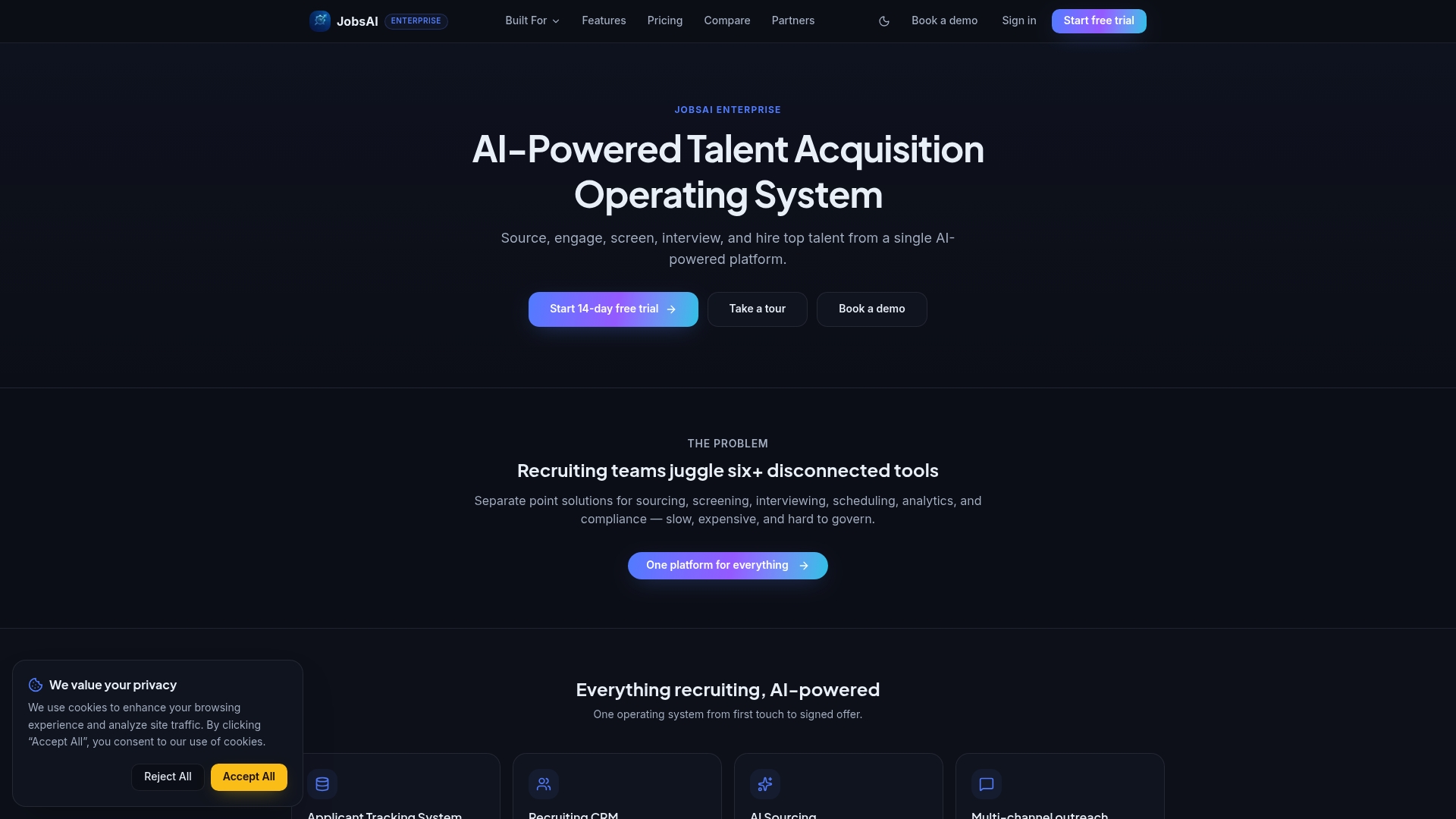
A JobsAI Enterprise trial typically includes a sandbox import of your candidate data, guided help setting up your first outreach campaign, sample AI screening results run against a real requisition, and an onboarding session to walk through configuration questions as they come up. The core value shows up fast: more consistent candidate follow-up and a pipeline you can actually reuse instead of rebuilding from scratch every time a new req opens. Take the product tour or head straight to the pricing page to see which plan fits your team size before you start.
Sources
- Vtiger — Wikipedia
FAQ
What Is CRM Recruiting?
CRM recruiting refers to using candidate relationship management software to track, nurture, and re-engage job seekers over time, rather than only managing them within a single job application. It centralizes candidate communication so recruiters can search and reuse past applicants instead of starting sourcing from zero for every new role.
What’s the Difference Between a Recruiting CRM and an Applicant Tracking CRM?
A pure recruiting CRM focuses on relationship nurturing across roles, while an applicant tracking CRM blends CRM-style nurturing with ATS-style tracking of a specific job’s application pipeline. Platforms like JobsAI Enterprise combine both in a single workspace, so recruiters don’t have to switch tools depending on the task.
What Should I Look for in the Best CRM for Recruiters?
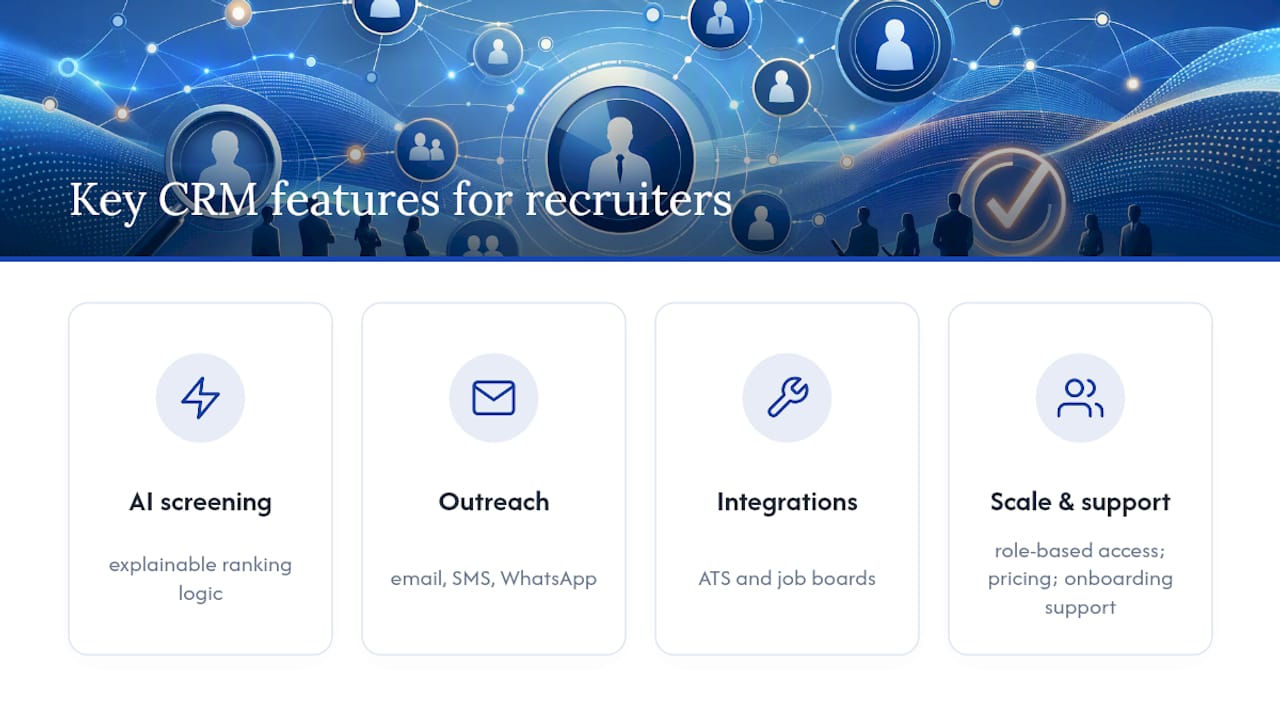
Look for AI screening with explainable ranking logic, multi-channel outreach across email, SMS, and WhatsApp, clean integrations with your ATS and job boards, and role-based access that scales as your team grows. Pricing structure and onboarding support matter just as much as the feature list itself.
How Long Does It Take to Implement a Recruitment CRM?
A realistic implementation timeline runs about 90 days from data cleanup to full go-live, broken into phases for field mapping, integrations, role setup, and training. Rushing past data cleanup is the most common reason go-live dates slip.
Can a Recruiting CRM Improve Candidate Response Rates?
Yes. Multi-channel, sequenced outreach campaigns tend to outperform single-channel, manual follow-up because they reach candidates through the channel they’re most likely to actually check. Tracking response rate before and after adopting a CRM is the clearest way to confirm the improvement for your own team.
Recommended
See it in your workflow
JobsAI Enterprise runs sourcing, AI screening, and the whole interview pipeline in one place. Book a walkthrough tailored to your team.
Book a demo