
Article
U.S. Recruiters: WhatsApp Recruiting Templates, Compliance, and KPIs
U.S. Recruiters: WhatsApp Recruiting Templates, Compliance, and KPIs
WhatsApp recruiting works when the role moves fast and the candidate pool skews toward mobile-first communication, but it fails without explicit opt-in and a connection back to your ATS. The single most important move is capturing consent up front and routing every conversation into a structured workflow instead of a personal phone. Skip WhatsApp for sensitive or heavily regulated roles where a documented paper trail matters more than speed. For everything else, the sections below cover setup, templates, compliance, and the metrics that prove it’s working.
TL;DR:
- WhatsApp recruiting is most effective for high-volume, fast-moving roles in retail, hospitality, logistics, and gig work where candidates respond better than email.
- Use a verified business profile, dedicated phone number, and explicit opt-in capture methods to ensure legal compliance and build trust with candidates.
- Automate routine messaging with templates and rules-based responses, but always route conversation logs to your ATS to prevent losing track of candidate data.
- Avoid using personal numbers for bulk outreach and never request sensitive information directly over chat; use secure links and strict data retention policies.
- For larger teams, integrate WhatsApp with automation platforms to handle volume efficiently, while maintaining personalized communication and adherence to legal standards.
Table of Contents
- What Is WhatsApp Recruiting, Exactly?
- WhatsApp Business App vs. Business API: Which Setup Do You Need?
- How Do You Write WhatsApp Recruiting Messages That Get Replies?
- Compliance and Security: What You Must Get Right
- Scaling WhatsApp Recruiting Without Losing the Personal Touch
- What Does WhatsApp Recruiting Look Like in Practice?
- JobsAI Enterprise’s Perspective on Running WhatsApp Recruiting Safely
- Ready to Automate Your WhatsApp Outreach Without Losing the Human Thread?
- Sources
- FAQ
What Is WhatsApp Recruiting, Exactly?
WhatsApp recruiting means using the messaging app, either the free Business App or the paid Business API, to source, screen, schedule, and communicate with candidates instead of relying only on email or phone calls. Recruiters have adopted it because response rates on messaging apps tend to beat email, especially with candidates who check WhatsApp more often than their inbox. The practice sits inside a broader category called conversational recruiting, which covers any hiring workflow built around chat rather than static forms.
Where WhatsApp fits across the hiring funnel
Recruiters generally deploy WhatsApp at four points in the funnel, and each one has a slightly different purpose.
- Sourcing and outreach: sending a short job card with a photo, a one-line pitch, and a link to the full posting, sometimes with a 30-second video showing the actual workplace.
- Pre-screening: asking three to five qualification questions by text or voice note, which lets a recruiter filter a stack of applicants before ever scheduling a call.
- Scheduling: confirming interview times, sending calendar links, and handling reschedules in real time instead of waiting on email threads.
- Pipeline engagement: status updates, document requests, offer discussion, and the small back-and-forth that keeps candidates warm between stages.
Hourly and frontline roles, retail, hospitality, logistics, and warehouse work, see the biggest lift from this approach because those candidates rarely check a corporate inbox during their shift. Younger applicants also respond faster to WhatsApp than to a scheduling email, which tracks with research on conversational recruiting showing many candidates prefer messaging apps for employer contact in the first place. High-volume seasonal hiring, staffing agency placements, and gig-style roles are where the channel earns its keep. Executive search, roles requiring extensive background checks, or positions with heavy legal documentation are where it earns less.
WhatsApp is also genuinely good at relationship building with candidates who are hard to reach through traditional channels, particularly passive candidates who won’t open a cold email but will glance at a WhatsApp message with a short video attached, a pattern Workable’s research on messaging-app recruiting backs up directly.
WhatsApp Business App vs. Business API: Which Setup Do You Need?
The Business App works for small teams handling one-to-one conversations by hand. The Business API is built for automation, approved message templates, and integration with your ATS or CRM, which makes it the right choice once volume climbs past what a single recruiter can manage manually. That distinction, drawn directly from how WhatsApp positions its own products for recruiters, should drive your setup decision before anything else.
Here’s a practical setup checklist to work through in order:
- Verify your business profile. A verified WhatsApp Business profile with your company name, logo, and website builds immediate trust and cuts down on candidates assuming it’s a scam.
- Decide on your phone number policy. Use a dedicated business line, never a recruiter’s personal number, so conversations survive staff turnover and stay auditable.
- Build your approved templates. If you’re on the Business API, message templates need pre-approval from WhatsApp before they can be sent outside a live conversation window, so draft your outreach, screening, and rejection templates early.
- Set up opt-in capture points. Add a WhatsApp contact button directly on job postings, generate a QR code for hiring events and career fairs, and include a checkbox on your web application form.
- Connect it to your ATS. Use webhook or API connections, or a third-party connector, to push message logs, opt-in timestamps, and candidate replies into structured ATS fields rather than leaving them stranded in a chat app.
On integration, store at minimum: the opt-in timestamp, the phone number, message transcripts tied to the candidate record, and any documents exchanged. A guide on ATS integration for messaging channels walks through the field mapping in more depth. For job-board and web-flow opt-in mechanics specifically, Easy CV’s breakdown of job board integrations is a useful companion read.
Cost and timing vary by provider, but expect the Business API to involve a per-message or per-conversation fee through your messaging provider, plus a template approval window that typically runs a few business days. Budget for that lag when planning a launch date.
How Do You Write WhatsApp Recruiting Messages That Get Replies?
Start every WhatsApp recruiting relationship with an explicit opt-in. That can be a checkbox on your application form reading something like “I agree to be contacted via WhatsApp about this role,” a reply-based confirmation (“Reply YES to continue this conversation on WhatsApp”), or a QR code scan at an event that triggers an automatic consent message before any recruiting content goes out. Recording that opt-in with a timestamp in your ATS isn’t optional. It’s the difference between a defensible outreach program and a liability, a point Ringover’s messaging guidance for recruiters reinforces directly.
Once opt-in is in place, a few rules keep the channel working instead of annoying candidates:
- Keep messages under three or four sentences. WhatsApp is a chat app, not an email replacement.
- Every message needs one clear call to action, never two competing asks.
- Use a voice note for the pre-screen questions when appropriate. It reads as more personal than typed text and takes candidates seconds to answer.
- Personalize with the candidate’s first name and the specific role, not a generic “Hi there” opener.
- Stick to business hours in the candidate’s time zone. A message at 9 p.m. reads as either desperate or careless.
- Cap your cadence at an initial message, one follow-up after 48 hours of silence, and a final close message. Don’t message a fourth time.
Outreach opener: “Hi [First Name], this is [Recruiter Name] from [Company]. We’re hiring for a [Job Title] role in [Location] that looks like a strong match for your background. Interested in hearing more? Reply YES and I’ll send the details.”
Pre-screen questions (send as three separate short messages, not one wall of text):
- “Are you currently authorized to work in the U.S. without sponsorship?”
- “What’s your earliest available start date?”
- “Have you worked in [industry/role type] before? If so, for how long?”
Interview confirmation: “You’re confirmed for [Date] at [Time] with [Interviewer Name]. Here’s the link: [calendar/video link]. Reply if you need to reschedule.”
Polite rejection with feedback option: “Thanks for taking the time to talk with us about the [Job Title] role. We’ve decided to move forward with another candidate for this position. If you’d like brief feedback on your application, just reply and I’m happy to share it.”
Pro Tip: Merge fields (first name, job title, location) let you personalize a template at scale, but always end with one short, fully human line that doesn’t come from a template, even something as simple as “Good luck either way.” That single unscripted sentence is usually what separates a message that reads as automated from one that reads as a real recruiter.
Compliance and Security: What You Must Get Right
Consent capture and data minimization aren’t optional extras bolted onto WhatsApp recruiting. They’re the foundation that makes the channel legally usable in the first place. Record what the candidate agreed to, when they agreed to it, and through which channel (checkbox, reply, QR code), and keep that record inside the candidate’s ATS profile rather than only in the chat thread.
Minimize what you ask for over chat. Never request Social Security numbers, bank details, or scanned ID documents directly in a WhatsApp message. Send a secure upload link instead, one that routes into your ATS document storage rather than sitting in a phone’s media gallery. A guide on organizing applicant data efficiently covers how to structure that intake safely.
Scam awareness cuts both ways. Candidates get impersonated recruiters running fake job offers over WhatsApp, and recruiters get impersonated too, with fraudsters posing as agencies to harvest candidate data. Common red flags, according to Scamwatch’s guidance on employment scams, include:
- A job offer with no interview at all, especially for a role that would normally require several rounds.
- Any request for money, whether framed as a “training fee,” equipment deposit, or background check charge.
- Pressure to hand over sensitive ID documents or banking details before any formal offer exists.
- A recruiter contact that can’t be verified against the employer’s published careers page or corporate contact list.
Scamwatch also advises candidates to verify a recruiter’s identity by contacting the employer directly through published corporate channels rather than trusting the WhatsApp message alone, which is worth including in your own candidate-facing messaging so applicants know how to check you’re legitimate. Internally, set retention limits on chat transcripts, review them periodically alongside HR or legal, and coordinate any policy changes with your legal team before rolling them out company-wide.
Scaling WhatsApp Recruiting Without Losing the Personal Touch
Automation on WhatsApp works in layers, and most recruiting teams should move through them in order rather than jumping straight to a full chatbot.
- Templates first. Pre-written, approved messages for outreach, confirmation, and rejection cover the bulk of routine communication without sounding robotic if you follow the personalization rules above.
- Rules-based automation next. Auto-replies that route candidates based on keyword triggers (“interested,” “reschedule,” “not interested”) handle routine branching without human intervention.
- Chatbots for pre-qualification, with a hard handoff to humans. A bot can ask screening questions and even schedule interviews, but it should escalate to a recruiter the moment a candidate asks anything nuanced, a boundary Ringover’s automation guidance is explicit about.
The metrics that actually prove ROI: response rate (percentage of candidates who reply to the first message), time-to-first-response (how fast a recruiter or bot answers an inbound message), interview show rate for candidates scheduled via WhatsApp versus other channels, and pipeline conversion, meaning what percentage of WhatsApp-sourced candidates make it to an offer. A candidate engagement tracking guide breaks down how to define these consistently across channels so you’re comparing WhatsApp fairly against email and phone outreach. Set an internal SLA, for example, first response within 15 minutes during business hours, and audit a sample of chatbot conversations weekly to catch any handoff that should have happened but didn’t. Improving that response window is itself worth tracking over time, something covered in more detail in a piece on improving recruiter response time.
What Does WhatsApp Recruiting Look Like in Practice?
Three short flows illustrate how this plays out day to day.
- Frontline sourcing: A staffing agency posts a warehouse role with a WhatsApp contact button on the job ad. Candidates tap it, get an automated opt-in confirmation, then three pre-screen questions. Qualified candidates get a same-day interview slot.
- Talent-pool nurture: A corporate recruiter builds a passive candidate list, sends a monthly multimedia update (short video, new openings), and keeps opt-in fresh by letting candidates reply “STOP” at any time.
- Rapid offer coordination: A hiring manager needs to finalize an offer within 24 hours. The recruiter sends offer terms via WhatsApp with a secure e-signature link, confirms acceptance in the same thread, and updates the ATS instantly.
Expected wins across all three: faster scheduling, better response rates than email alone, and a shorter time-to-offer. The most common failure mode is treating WhatsApp as a second inbox nobody actually monitors. The fix is simple: assign clear ownership and route it through automation with a defined SLA, not a recruiter’s spare attention.
JobsAI Enterprise’s Perspective on Running WhatsApp Recruiting Safely
We think the biggest mistake teams make is running WhatsApp recruiting through a personal number with no structure behind it. Bulk outreach, templates, and automation only work when every message syncs back to a candidate record automatically, which is the gap most manual setups never close. Our take: treat WhatsApp as a workflow, not a side channel, and let automation handle the repetitive first pass while recruiters handle judgment calls.
Pro Tip: Build your rejection template with a feedback offer baked in. It costs nothing and it’s often what candidates remember about your company long after the role is filled.
— Hippolyte A.
Ready to Automate Your WhatsApp Outreach Without Losing the Human Thread?
Running templates, opt-in tracking, and follow-up cadences by hand across dozens of open roles is where most recruiting teams hit a wall, not because the channel doesn’t work, but because nobody has time to manage it manually at volume. Some platforms handle bulk outreach across WhatsApp, SMS, and email from inside a unified workspace where candidate profiles, screening results, and interview scheduling live, so a reply on WhatsApp updates the candidate record recruiters are already working from.
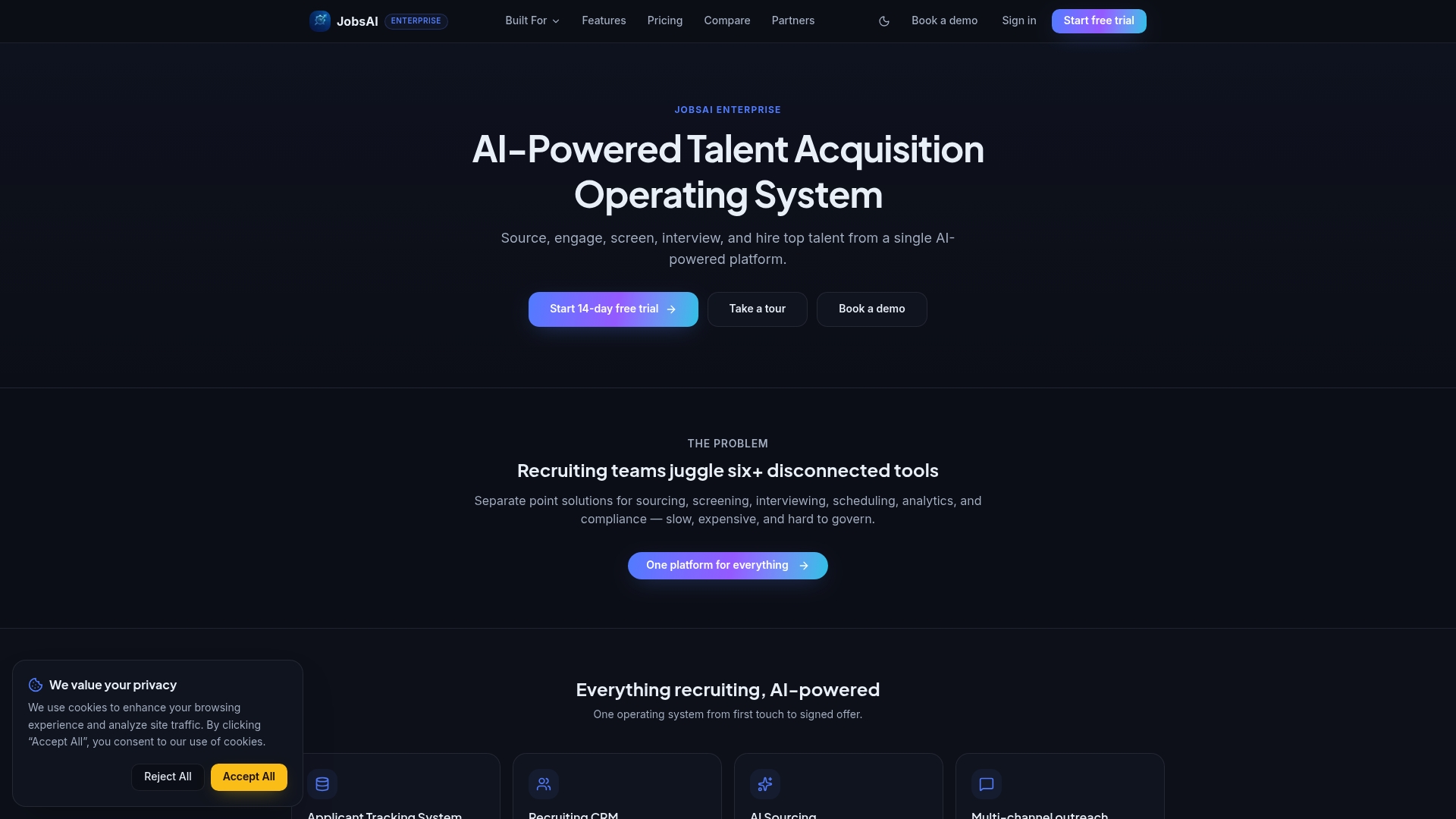
That means no more copying phone numbers between a chat app and a spreadsheet, and no lost consent records buried in someone’s personal messages. Workflow automation triggers the right template at the right funnel stage, while AI screening keeps the candidates worth a human reply at the top of the queue. If you’re managing high volume and want to see how the messaging and ATS sync actually works before committing, take the product tour or check current pricing plans to find the tier that fits your team’s hiring volume.
Sources
For technical setup, WhatsApp Business documentation covers API requirements directly. For scam prevention, Scamwatch’s employment scam guidance is a solid reference to share with candidates. For workflow infrastructure thinking, Rinvii’s take on human-driven automation is worth a look.
FAQ
Are recruiters on WhatsApp legit?
Many are. WhatsApp has become a standard sourcing and screening channel for staffing agencies and in-house recruiters, but candidates should always verify a recruiter’s identity against the employer’s official careers page before sharing sensitive information.
Why am I getting recruitment messages on WhatsApp?
You likely opted in somewhere, through a job application checkbox, a QR code at an event, or a WhatsApp button on a job posting, or a recruiter sourced your number from a professional network and reached out directly. Legitimate recruiters should always confirm consent before sending recruiting content.
Is it normal for a job to contact you through WhatsApp?
Yes, especially for hourly, retail, logistics, and high-volume roles where speed matters more than a formal email chain. It’s less common for executive or heavily regulated positions, where communication usually stays on more traditional, documented channels.
How do I know if a WhatsApp job offer is a scam?
Watch for warning signs like an offer with no interview, requests for money or fees, pressure to share ID or bank details early, or a contact who can’t be verified against the employer’s real corporate details, all flagged directly by Scamwatch’s guidance on employment scams.
Does WhatsApp recruiting require special software?
Not necessarily. Small teams can run it through the free WhatsApp Business App, but teams handling volume typically move to the WhatsApp Business API paired with an ATS integration, which is where a platform like Jobsai Enterprise handles the automation and candidate-record syncing that manual setups struggle with.
Recommended
See it in your workflow
JobsAI Enterprise runs sourcing, AI screening, and the whole interview pipeline in one place. Book a walkthrough tailored to your team.
Book a demo