
Article
Phone Screen Automation for Staffing Teams: Deploy Guide

Phone Screen Automation for Staffing Teams: Deploy Guide
Phone screen automation is worth adopting when your team runs high-volume first-round screening, works from clear objective criteria, and needs results written straight back into your ATS. If your screening volume is low, your criteria are subjective, or you can’t integrate with your calendar and applicant tracking system, wait.
That’s the whole decision in one sentence. Here’s how to act on it.
- Adopt now if you screen 50+ candidates a week for roles with pass/fail criteria (licenses, availability, shift eligibility).
- Pilot cautiously if you have moderate volume but want to test rubric accuracy before committing budget.
- Postpone if you’re hiring for senior or client-facing roles where judgment, not throughput, is the bottleneck.
Two regulatory anchors matter before you sign anything. The EU AI Act treats employment screening as a high-risk AI use case, which means documentation, human oversight, and bias testing aren’t optional extras. And GDPR’s Article 22 gives candidates the right not to be subject to a decision “based solely on automated processing” without disclosure, so a human reviewer has to sit in the loop somewhere, not just on paper.
Pro Tip: Run your first automated screening pilot on a role you already over-hire for, like seasonal retail or warehouse associates. You’ll get statistically useful volume in two weeks instead of two months.
The productivity case is real. Vendor deployment data shows AI voice screening platforms handling 10 to 15 minute phone screens at a pace no recruiter desk can match manually, with structured scoring routed directly into the hiring funnel.
Key Takeaways
Phone screen automation delivers measurable ROI only when high candidate volume, an objective rubric, and reliable ATS integration are all in place together.
| Point | Details |
|---|---|
| Scope one role first | Pick a high-volume, criteria-driven role for your initial pilot, not a leadership hire. |
| Write the rubric before the script | Lock objective pass/review/fail thresholds before drafting any call questions. |
| Run a 60-day parallel pilot | Compare AI screening against human screens on 100 to 200 candidates before scaling. |
| Keep a human decision gate | Never let automation make the final progression call without recruiter review. |
| Choose a platform with native write-back | JobsAI Enterprise combines AI screening, rubric scoring, and ATS write-back with audit logging built in. |
Table of Contents
- What Does Phone Screen Automation Actually Do?
- Which Roles Get the Fastest ROI From Automated Screening?
- What Should Automated Phone Screening Never Replace?
- Should You Buy a Screening Platform or Build One In-House?
- How Do You Pilot Phone Screen Automation Safely?
- How Do You Build a Rubric and Screening Script?
- How Do You Handle Consent and Fairness in Automated Screens?
- What Metrics Actually Prove the ROI?
- How Much Does Phone Screen Automation Cost to Roll Out?
- Should You Move Forward With Phone Screen Automation?
- What Do Real Deployments Teach You That Planning Doesn’t?
- How JobsAI Enterprise Fits Into Your Screening Pilot
- Where to Read More on Phone Screen Automation
- FAQ
What Does Phone Screen Automation Actually Do?
Phone screen automation replaces the first-round recruiter call with an AI voice agent that asks scripted, rubric-driven questions, follows branching logic based on candidate answers, transcribes the conversation, scores it against defined criteria, and writes the outcome back into your ATS. It’s not a chatbot bolted onto a job board. It’s a structured interview delivered by voice, at scale.
Screening has always been mostly structured work, even when a human ran it. Every recruiter asks the same eligibility and logistics questions dozens of times a week. Treating that early conversation as a spoken form that maps to objective fields is exactly why AI voice screening scales predictably where more judgment-heavy interview stages don’t.
Five components make up a working system:
- Voice/telephony layer that places or receives the call and handles natural conversation flow.
- Transcript engine that converts speech to text in real time for scoring and audit purposes.
- Rubric scorer that maps answers to pass, review, or fail buckets based on predefined weights.
- ATS/calendar integration that writes results, transcripts, and next steps back into your existing pipeline.
- Audit log that timestamps consent, questions asked, and scoring logic for later review.
| Output | What It Contains | Where It Goes |
|---|---|---|
| Transcript | Full text of the call, timestamped | ATS candidate record |
| Score | Rubric-based pass/review/fail rating | ATS field or dashboard |
| Next step | Scheduled interview or reject-review flag | Calendar + recruiter queue |
| Audit entry | Consent record, questions asked, scoring logic | Compliance log |
Without reliable ATS write-back, the system produces conversation data with no operational value. Integration is the actual gate, not the voice technology itself.
Which Roles Get the Fastest ROI From Automated Screening?
High-volume, criteria-driven roles are where phone-screen automation pays off fastest. The math is simple: automation saves the most time where recruiters previously burned the most hours on repetitive, low-judgment calls.
The clearest wins show up in:
- Post-application inbound screening for entry-level and hourly roles
- Shift and availability verification before scheduling interviews
- Eligibility and licensing checks (certifications, visa status, background requirements)
- Re-engaging warm candidates sitting in a talent pool who need a quick status refresh
- High-volume seasonal or contact-center hiring where dozens of candidates apply daily
Vendor playbooks consistently point recruiters toward the same starting point: automate the calls that already feel repetitive — outbound follow-ups, inbound short screens, and scheduling — before touching anything more judgment-heavy.
- Warehouse and logistics staff. Availability, physical requirements, and shift preference are binary questions perfectly suited to a rubric.
- Contact-center agents. Typing speed, language fluency, and schedule flexibility screen cleanly by phone.
- Seasonal retail hires. High volume, tight timelines, and simple eligibility criteria make this the easiest pilot role.
Two counterexamples worth naming outright: senior leadership hiring and any role that depends on a portfolio or work sample. Neither fits a rubric-based phone call, and forcing them into one wastes the pilot’s credibility. A useful rule of thumb: if you’re screening fewer than 20 candidates a month for a role, the setup cost of automation rarely beats a recruiter picking up the phone.
What Should Automated Phone Screening Never Replace?
Automation should never make the final call, evaluate a portfolio, or screen for client-facing leadership roles where interpersonal judgment is the actual hiring criterion. Those decisions need a person who can weigh nuance no rubric captures.
Beyond that hard boundary, four operational risks show up repeatedly in real deployments:
- Transcription errors on accents, background noise, or technical terminology can silently corrupt scoring.
- False negatives happen when a rubric is too rigid to catch a candidate who answers correctly but off-script.
- Data retention mistakes occur when transcripts and recordings outlive the retention policy you promised candidates.
- Outbound consent errors arise when automated re-engagement calls hit numbers that never opted into recruiting contact.
Critics of fully automated screening make a fair point: candidate experience suffers when the process feels opaque or one-directional, and alternatives like async video interviews can preserve more human judgment while still saving recruiter time.
Pro Tip: Keep a human decision gate on every “fail” outcome for the first 90 days. You’ll catch rubric blind spots before they turn into a pattern of wrongly rejected candidates.
Run parallel screens rather than a hard cutover, limit any attempt to score tone or emotion (accuracy here is shaky and legally risky), and keep every consent record and transcript in a searchable audit log from day one.
Should You Buy a Screening Platform or Build One In-House?
Buy, in almost every case, unless you have sustained engineering capacity and a genuinely unusual screening workflow. Building in-house means owning telephony infrastructure, transcription accuracy, rubric tooling, and ATS integration indefinitely, not just at launch.
| Factor | Buy | Build |
|---|---|---|
| Cost | Predictable subscription | High upfront + ongoing engineering |
| Speed to value | Weeks | Months to a year |
| ATS write-back | Usually native | Must be custom-built |
| Data ownership | Depends on contract terms | Full control |
| Customization | Moderate, template-based | Unlimited but costly |
| Long-term maintenance | Vendor-managed | Internal team required |
If you’re leaning “buy,” check these before signing:
- Does the platform write structured data, not just notes, into your existing ATS?
- Does it support bias-audit reporting and adverse-impact testing on request?
- What’s the SLA on call reliability and transcription accuracy?
- Is there a documented human-in-the-loop decision point, not just a marketing claim of one?
If you’re leaning “build,” budget honestly for engineering time, ongoing model maintenance, and the real risk of data lock-in with your telephony vendor. A governance checklist with a named human decision authority, auditable records, and a bias-monitoring cadence should be non-negotiable regardless of which path you choose.
Pro Tip: Ask any vendor to show you a real audit log from a past client, not a mockup. If they can’t, that’s your answer on data governance maturity.
How Do You Pilot Phone Screen Automation Safely?
A 60-day parallel-run pilot is the safest way to validate accuracy before rolling automation out across a role or team. Split it into two phases.
- Days 0 to 30: Scope and setup. Pick one high-volume role, draft the rubric, write the disclosure script, map fields to your ATS, and turn on audit logging before a single call goes out.
- Days 30 to 60: Parallel-run pilot. Screen 100 to 200 candidates with both the automated system and a human recruiter, then compare agreement rates and tune scoring thresholds.
- Go/no-go review. Check completion rate, false-negative tolerance, and how many recruiter hours actually got redeployed.
| Pilot phase | Key activity | Success signal |
|---|---|---|
| Days 0–15 | Rubric and disclosure drafting | Rubric reviewed by legal/HR |
| Days 15–30 | ATS mapping and audit setup | Fields writing back correctly |
| Days 30 to 60 | Parallel calls begin | High candidate completion |
| Days 30 to 60 | Agreement analysis and tuning | High agreement with human screens |
Success in a pilot isn’t call volume, it’s whether time-to-hire actually drops and recruiters get real hours back for higher-value work. This pilot cadence, running scoping first and a parallel control second, mirrors the sequence enterprise deployments use to avoid scaling a flawed rubric.
- Lock the rubric before you write a single script line.
- Never skip the parallel-run comparison, even under deadline pressure.
- Document every threshold change and why you made it.
How Do You Build a Rubric and Screening Script?
Every rubric item needs three things: a question, an objective pass/review/fail threshold, and a weight relative to other criteria. Skip any of those three and the automation just produces noise dressed up as data.
Here’s a sample rubric structure covering the four question categories that matter most:
| Category | Sample question | Pass criterion |
|---|---|---|
| Eligibility | “Are you authorized to work in this location without sponsorship?” | Yes/No, hard gate |
| Logistics | “Can you work the early morning shift, Monday through Friday?” | Matches posted schedule |
| Motivation | “What made you apply for this role specifically?” | Coherent, role-relevant answer |
| Competency | “Walk me through how you’d handle a customer complaint about a late delivery.” | Contains a resolution step |
Branching logic keeps the call efficient: if a must-have eligibility question fails, route straight to a reject-review flag rather than continuing through motivation and competency questions. If eligibility and logistics both pass, route to scheduling. Reserve human review for any borderline competency answer the rubric can’t cleanly bucket.
Pro Tip: Write no more than 10 to 12 questions per call. Longer scripts increase drop-off and rarely improve scoring accuracy.
Templates for this exact structure, including branching examples by role type, are laid out in JobsAI Enterprise’s phone screening guide, which walks through rubric weighting in more detail than a single article can cover.
How Do You Handle Consent and Fairness in Automated Screens?
Disclosure has to happen before the rubric questions start, not buried in an email candidates never open. A workable script opens with something like: “This call is conducted by an AI screening system on behalf of [company]. It will be recorded and scored against a set of job-related criteria, and a recruiter will review your results before any next steps.” Log the candidate’s verbal consent as a timestamped entry in your audit trail, tied to the transcript.
Run adverse-impact testing on a fixed cadence, not just once at launch. Compare pass rates across protected categories every few weeks during a pilot, and again quarterly once live. If a demographic gap shows up, that’s a rubric problem to fix, not a coincidence to ignore.
Three candidate-experience checks matter more than they look:
- Track completion rate as your primary early warning signal; a sharp drop usually means script length or disclosure wording is off.
- Recontact any dropped or failed candidate within 24 to 48 hours with a human option.
- Offer an async-video or human-callback alternative for candidates who decline the automated call.
Candidate experience and transparency are the most common failure points in automated screening. Human callback options, async-video alternatives, and a clear upfront disclosure consistently improve both completion rates and how candidates talk about the employer afterward.
This lines up with what research into candidate-facing AI screening keeps finding: the technology isn’t the problem, the opacity around it is.
Pro Tip: Publish your disclosure script publicly on your careers page, not just inside the call. Candidates researching your company before applying will notice, and it builds trust before the phone even rings.
What Metrics Actually Prove the ROI?
Five metrics tell you whether automation is working: screens completed per day, screening-to-interview conversion rate, time from application to screen, recruiter hours reclaimed, and candidate completion rate. Track all five against your pre-automation baseline, not against industry benchmarks that don’t reflect your actual roles.
- Screens completed per day measures raw throughput against your prior manual capacity.
- Screening-to-interview conversion tells you if the rubric is calibrated correctly, not too loose or too strict.
- Time from apply to screen is usually the single biggest visible improvement, often collapsing from days to hours.
- Recruiter hours reclaimed should be measured concretely: what are recruiters doing with the time now?
- Candidate completion rate is your early-warning signal for script length, disclosure friction, or technical issues.
The scale of impact tracks directly with volume. Where recruiters previously spent the most hours, automation returns the most time, which is why the ROI case is strongest for high-volume desks and weakest for low-volume specialist roles. Validate your own numbers against two assumptions before promising results internally: your actual candidate volume threshold and your average manual screen time per candidate. If either number is small, the ROI case shrinks fast.
How Much Does Phone Screen Automation Cost to Roll Out?
Budget for four things: vendor subscription, telephony minutes, implementation and integration services, and internal change-management time. Most teams underestimate the last one.
Typical calendar phases run roughly:
- Weeks 1 to 4: Vendor selection, contract negotiation, and ATS integration scoping.
- Weeks 4 to 8: Rubric design, script writing, and technical setup.
- Weeks 8 to 12: Pilot execution and threshold tuning.
- Month 4 onward: Scaled rollout across additional roles.
Cost drivers worth flagging to finance before you sign anything:
- Candidate volume directly scales telephony minute costs.
- Transcription accuracy tiers vary by vendor and affect both price and scoring reliability.
- Customization level (unique rubrics per role vs. one template) changes implementation time.
- SLA and audit requirements can add cost but reduce compliance risk significantly.
Savings show up in two places: reduced recruiter hours spent on repetitive first-round calls, and a shorter time-to-fill because candidates move through the funnel faster. Neither shows up on day one. Both compound after the second or third role you automate.
Should You Move Forward With Phone Screen Automation?
The verdict holds: adopt phone-screen automation when you have high volume, objective criteria, and ATS integration in place; pilot cautiously if only one or two of those are true; postpone if none are.
What that means by role:
- Staffing firm desk leads: Start with your highest-volume client account. The rubric you build there transfers to similar roles fast.
- Agency owners: Treat the first pilot as a proof point for clients, not just an internal efficiency project. Clients care about time-to-fill.
- Corporate TA managers: Loop in HR and legal before the pilot starts, not after. Disclosure and consent language needs sign-off early.
Whichever category you fall into, the next concrete step is the same: pick one role, lock a rubric, and run a parallel pilot before scaling anything.
What Do Real Deployments Teach You That Planning Doesn’t?
Integration problems show up faster than accuracy problems, and they’re usually the reason a promising pilot stalls. Teams spend weeks perfecting rubric wording, then discover the ATS write-back doesn’t map cleanly to their existing pipeline stages. Fix the integration first.

Recruiter retraining matters more than most rollout plans budget for. Recruiters who’ve screened candidates by phone for years don’t automatically trust a transcript and a score. Give them time reviewing side-by-side comparisons during the parallel pilot so they build confidence in the rubric, not just tolerance for it.
The most common candidate drop-off cause isn’t the AI voice itself. It’s script length and unclear disclosure. Candidates hang up when a call feels longer than expected or when they’re unsure why they’re being recorded. Fix the first sentence of your script before you touch anything else.
Transcription failures cluster around accents, background noise, and industry jargon, not around the AI’s core logic. Budget review time for these edge cases rather than assuming the failure rate will smooth out on its own. And governance gaps tend to appear quietly: a consent log that’s incomplete for a subset of calls, or an audit trail that stops updating when a role gets archived. Check these things manually during the pilot rather than trusting the dashboard.
How JobsAI Enterprise Fits Into Your Screening Pilot
JobsAI Enterprise gets you from rubric draft to live pilot in days instead of the months an in-house build typically takes, because the ATS write-back, audit logging, and scoring engine are already built and already integrated.
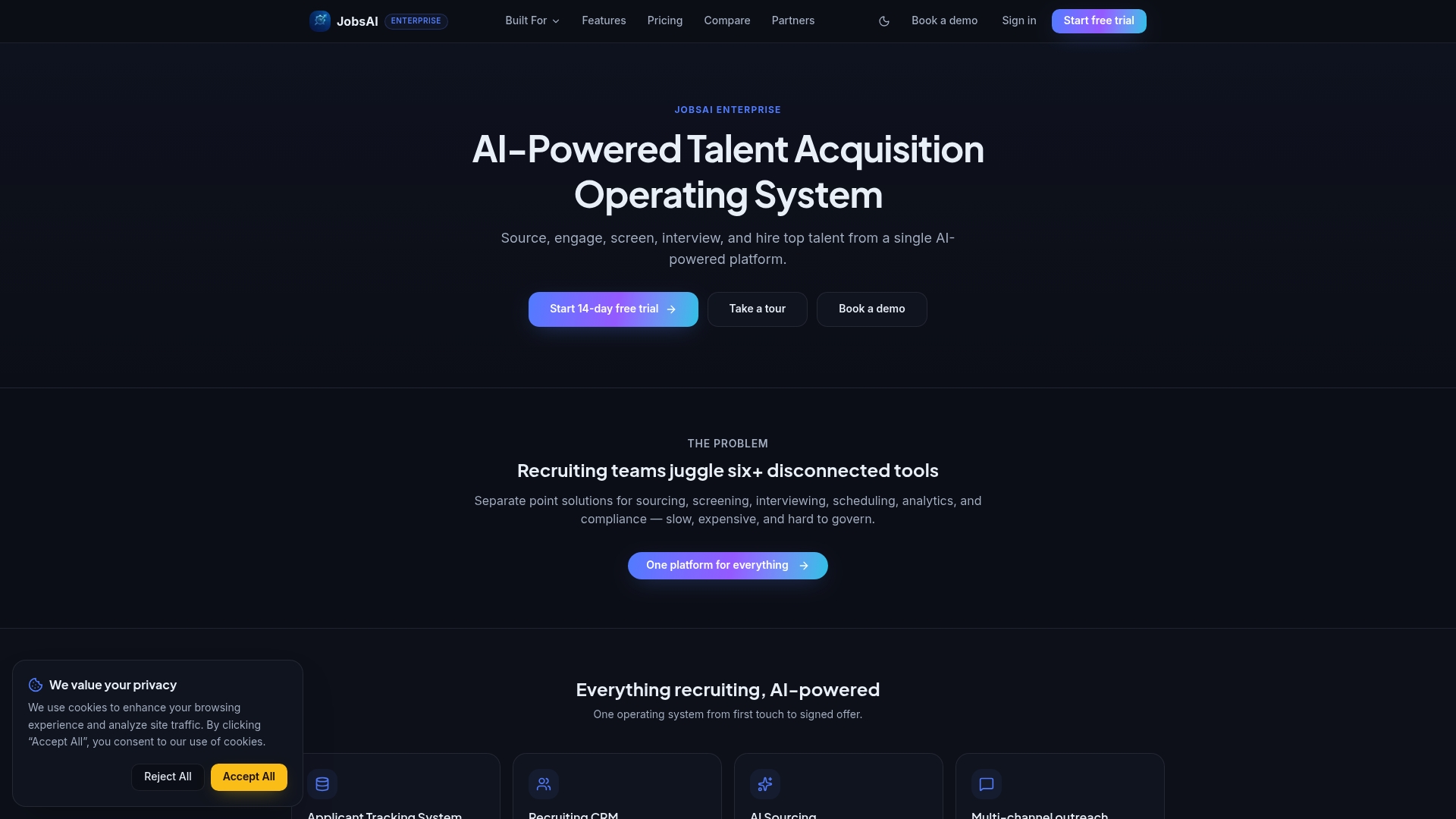
The platform handles AI screening, rubric-based scoring, and structured ATS write-back inside one workspace, with audit trails and human-in-the-loop review points built into the workflow rather than added on afterward. A pilot typically looks like this: connect your ATS, define one role and its rubric, and run a parallel screening pilot against your existing recruiter process before scaling to additional roles. The workflow automation guide covers how scheduling and pipeline moves connect once a candidate clears the screen.
If you’re ready to scope a pilot, check JobsAI Enterprise’s pricing plans or start directly from the enterprise product page to see which tier matches your team’s screening volume.
Where to Read More on Phone Screen Automation
For teams building out a pilot, these resources map directly to the sections above:
- JobsAI Enterprise’s AI phone screening guide walks through rubric templates and sample scripts in more depth.
- The AI screening product guide covers integration requirements and audit-trail design.
- The candidate pools and talent database guide is useful if your best automation use case is re-engaging warm candidates.
- For jurisdiction-specific compliance questions, especially around GDPR Article 22 and EU AI Act high-risk classifications, consult legal counsel familiar with your specific market before finalizing disclosure language. This article is general information, not legal advice.
FAQ
What is phone screen automation?
Phone screen automation uses AI voice agents to conduct first-round candidate interviews with scripted, rubric-driven questions, then transcribes, scores, and writes results back into your ATS.
Is automated phone screening legal?
It’s generally legal in the United States when candidates receive clear disclosure and consent before the call, but requirements vary by jurisdiction and role type, so confirm current rules with legal counsel.
How long does a phone-screen automation pilot take?
A typical pilot runs 60 days: 30 days for scoping and rubric design, then 30 days running a parallel comparison against human screens on 100 to 200 candidates.
Can phone screen automation replace final-round interviews?
No. It should handle first-round, criteria-based screening only, never final hiring decisions, portfolio reviews, or senior and client-facing role evaluations.
What makes a platform like JobsAI Enterprise different from building in-house?
JobsAI Enterprise provides native ATS write-back, rubric-based scoring, and audit logging already integrated, which typically gets a pilot running in weeks instead of the months an in-house build requires.
Recommended
See it in your workflow
JobsAI Enterprise runs sourcing, AI screening, and the whole interview pipeline in one place. Book a walkthrough tailored to your team.
Book a demo