
Article
Cut Reschedules in 90 Days: Enterprise Interview Scheduling Automation

Cut Reschedules in 90 Days: Enterprise Interview Scheduling Automation
For most hiring teams, a hybrid rules-based model with AI-assisted panel solving is the pragmatic default: it lets candidates self-book while automation handles multi-interviewer conflicts behind the scenes. Full automation fits high-volume, low-complexity roles; a hybrid model fits everyone with panels, technical loops, or executive calendars. Done right, teams see faster confirmations and a lower reschedule rate within the first full hiring cycle.
TL;DR:
- Automating interview scheduling works best with hybrid or assisted models, especially for panels, leadership roles, or roles involving multiple interviewers across different time zones.
- Integration reliability is crucial, requiring solid connections with calendar platforms like Google or Microsoft and ATS writeback to prevent mid-interview failures and double-bookings.
- A structured pilot process, starting with a single role family, calendar permission checks, and rule development, ensures smooth adoption and helps identify edge cases early.
- Evaluation should focus on conflict detection, ATS integration, panel support, security features, and scalable pricing, rather than just feature lists.
- Significant business benefits include faster time-to-first-interview, reduced reschedule rates, immediate recruiter time savings, and improved candidate experience.
Table of Contents
- What Are the Main Ways to Automate Interview Scheduling?
- What Business Results Does Interview Scheduling Automation Actually Deliver?
- How Does Automated Interview Scheduling Work Technically?
- What Does a Rollout Plan for Interview Scheduling Automation Look Like?
- How Do You Evaluate an Interview Scheduling Solution?
- What ROI Should You Expect From Scheduling Automation?
- Where JobsAI Enterprise Fits Into This Approach
- What I’d Tell a TA Leader Starting This Project Today
- See How JobsAI Enterprise Handles Panel Scheduling and Beyond
- Sources
- FAQ
What Are the Main Ways to Automate Interview Scheduling?
Three models cover almost every use case, and picking the wrong one is the most common reason automation projects stall.
Full automation hands the entire process to software: a candidate picks a slot from a public link, the system checks calendars, books the meeting, and sends confirmations without a human touching it. It works best for high-volume hourly hiring, call centers, and retail, where one interviewer or a small rotating pool covers dozens of candidates a week. The tradeoff is control. If a hiring manager’s calendar is messy or a role suddenly needs a different interviewer, the system won’t know to pause.
Assisted scheduling keeps a human in the loop for approval but automates the busywork around it. A coordinator reviews suggested times before they go to the candidate, or approves a slot after the system finds it. This suits technical panel interviews, where you need a recruiter to confirm the right mix of engineers is available before anything goes to the candidate.
Hybrid rules-based automation blends both: routine slots book automatically, but rules kick in for exceptions (a VP’s calendar, a four-person panel, a candidate in a different time zone). This is the model most enterprise teams land on because it scales without losing oversight on the interviews that matter most.
A rough breakdown of fit:
- High-volume hourly roles: full automation, minimal human review needed.
- Technical panel interviews: assisted or hybrid, since panel availability is rarely simple.
- Executive or leadership hires: assisted scheduling, with a coordinator approving every step.
- Standard corporate roles with occasional panels: hybrid rules-based, the most common enterprise setup.
Candidate experience tends to improve with any of the three, as long as confirmations are fast and time zones are handled correctly. The failure mode isn’t the automation model itself. It’s picking one that doesn’t match how complex your interview loops actually are.
What Business Results Does Interview Scheduling Automation Actually Deliver?
The clearest win is speed. Automated scheduling tools eliminate the email back-and-forth that used to stretch scheduling out over days, which directly reduces candidate drop-off and shortens time-to-first-interview. When a candidate can pick a slot in under a minute instead of waiting for three emails to sync, fewer of them lose interest or accept a competing offer while they wait.
Pro Tip: Track time-to-first-interview separately from total time-to-hire. It’s the number that moves fastest once you automate, and it’s the easiest one to show leadership as early proof the pilot is working.
Recruiter and coordinator time savings show up almost immediately, since manual calendar-chasing is usually the single biggest time sink in a coordinator’s week. That time gets redirected toward candidate care and requisition planning instead of email triage.
Benefits break down into three buckets:
- Speed metrics: faster time-to-first-interview, fewer stalled requisitions, quicker offer cycles.
- Candidate-facing wins: self-scheduling, time-zone-aware confirmations, automated reminders that cut no-show rates.
- Operational hygiene: cleaner calendars, fewer double-bookings, consistent confirmation and reminder templates across every recruiter.
None of this requires replacing your ATS. It requires making the scheduling layer talk to the calendar layer reliably, which is where most of the real value gets unlocked.
How Does Automated Interview Scheduling Work Technically?
The mechanics are simpler than most vendors make them sound, but the integrations underneath have to be solid or the whole thing breaks down at the worst moment: mid interview loop, with a candidate waiting.
The typical flow runs in four steps:
- Request initiation. A recruiter or hiring manager triggers a scheduling request, either manually or automatically once a candidate clears a screening stage.
- Availability read. The system pulls real-time availability from every relevant calendar, checking for existing holds, buffers, and out-of-office blocks.
- Slot generation and candidate booking. The candidate sees a list of valid times (often time-zone-converted automatically) and picks one, or the system auto-assigns a slot based on rules you’ve configured.
- Confirmation and writeback. Confirmed times sync back to the ATS and calendar simultaneously, triggering confirmation emails, video links, and reminders.
The integrations that make or break this flow: Google and Microsoft calendar connections for availability reads, ATS writeback so scheduling data doesn’t live in a silo, video conferencing links generated automatically, email and SMS for confirmations and reminders, and single sign-on for security compliance across a distributed hiring team.
Panels are the trickiest piece. A four-person interview loop needs every participant’s calendar checked simultaneously, buffer time enforced between meetings, and conflict detection that catches a double-booking before it reaches the candidate, not after. Zapier’s automation templates show a useful pattern here: calendar events get created and synced across tools in real time specifically to prevent the kind of double-booking that panel scheduling is prone to. Platforms like Power Automate go further, supporting precise time-zone controls and recurring schedule logic, which matters when a panel spans three continents and nobody wants a 6 a.m. interview slot by accident.

What Does a Rollout Plan for Interview Scheduling Automation Look Like?
Skipping a structured rollout is the fastest way to end up with a tool nobody trusts within two months. A staged approach protects your credibility with hiring managers while you work out the rough edges.
- Pick a pilot group and set a baseline. Choose one role family, ideally something with moderate volume and a single interviewer or small panel. Measure your current time-to-first-interview and reschedule rate before you touch anything.
- Clean up calendar permissions first. Confirm every interviewer’s calendar has the right sharing scope and that nobody is running two unsynced calendars, which is one of the most common causes of double-booking failures.
- Build your templates and rules. Draft confirmation emails, reminder cadences, buffer-time rules between meetings, and RSVP logic before the pilot goes live, not during it.
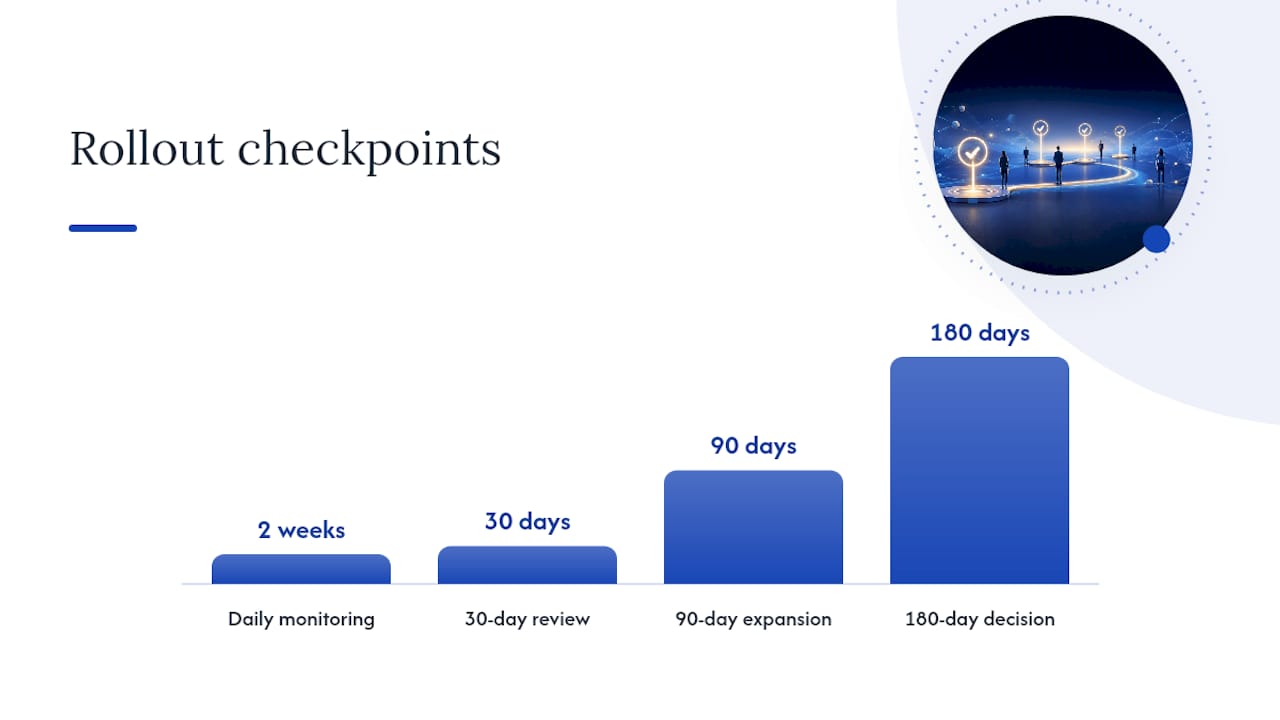
- Launch the pilot and monitor daily for the first two weeks. Early failures are almost always calendar permission issues or a rule that didn’t account for an edge case.
- Review at 30, 90, and 180 days. At 30 days, fix obvious breakage. At 90 days, expand to a second role family. At 180 days, decide whether to scale hybrid automation across the full requisition load.
Pro Tip: Keep a running log of every automation failure during the pilot and tag each one by cause (calendar permission, rule gap, integration timeout). After 30 days, you’ll see a pattern, and it’s almost never the AI making a bad decision. It’s usually one unaccounted-for edge case repeating itself.
A step-by-step rollout approach that starts with low-risk workflows before expanding is the difference between a smooth adoption and a rollback six weeks in.
How Do You Evaluate an Interview Scheduling Solution?
Most evaluation processes get lost comparing feature lists. Focus instead on the criteria that predict whether the tool will actually survive contact with your real hiring workflows.
Prioritize in this order: calendar accuracy and real-time conflict detection, native support for multi-interviewer panel rules (not a workaround), two-way ATS writeback, single sign-on and data privacy controls, and a pricing model that scales with your team size rather than penalizing growth.
Ask vendors these questions directly, and push for specifics rather than a reassuring “yes”:
- How does the system handle a last-minute interviewer cancellation mid-panel?
- Does scheduling data write back to our ATS automatically, or does someone re-enter it?
- What happens when two interviewers on a panel are in different time zones with conflicting availability?
- Can we set custom buffer rules per interview type, or is buffer time fixed?
- Is SSO supported out of the box, and what compliance certifications does the platform hold?
If a vendor can’t clearly explain how their system resolves a three-person panel conflict without human intervention, assume it can’t, and assume your coordinators will end up doing that work manually anyway.
Red flags that should stop a shortlist candidate cold: no real ATS writeback (just a one-way export), panel scheduling that’s “manual for now, automated later,” no SSO option for an enterprise deployment, and vague answers about data retention or candidate privacy handling.
What ROI Should You Expect From Scheduling Automation?
The business case rests on four numbers: time-to-first-interview, reschedule rate, coordinator hours logged per week, and candidate satisfaction (often tracked as candidate NPS). Pilot benchmarking guidance recommends capturing a clear baseline for each metric before launch, then comparing again at the 90-day mark once the pilot has had time to stabilize.
A simple attribution model: if your coordinators previously logged 8 hours a week on manual scheduling for a role family, and that drops to 2 hours post-automation, you’ve freed 6 hours weekly per coordinator, redirectable toward sourcing or candidate care. Multiply that across every coordinator on the team and the case usually makes itself.
Report on a monthly cadence during the pilot, then quarterly once the process stabilizes. Enterprise rollouts with mature ATS integrations tend to see stronger, more consistent gains than a standalone scheduling tool bolted onto a manual process, largely because the full pipeline becomes measurable end to end once booking, feedback, and hiring decisions all flow through the same system.
Where JobsAI Enterprise Fits Into This Approach
The evaluation criteria above (ATS writeback, panel handling, SSO, scalable pricing) map directly onto what an integrated talent acquisition platform needs to deliver, not as an add-on but as core infrastructure.
JobsAI Enterprise combines workflow automation with interview automation, calendar and ATS integrations, and AI-driven candidate coordination inside one workspace, rather than a scheduling widget sitting outside your hiring stack. That matters most for the panel-scheduling and writeback problems described earlier, since a scheduling layer disconnected from your applicant data tends to recreate the same manual reconciliation work you were trying to eliminate.
Typical deployment follows the same pilot-then-scale pattern outlined above: connect calendars and ATS data, configure rules for one role family, monitor for the first cycle, then expand. Recruiting agencies and corporate HR teams managing high interview volume are the primary users, since the platform’s candidate ranking and workflow tools are built around exactly the kind of multi-stage, multi-interviewer complexity that breaks simpler scheduling tools.
Capabilities relevant to the criteria above include:
- Two-way ATS and calendar integrations designed for writeback, not just export.
- AI-assisted interview automation for phone screens and structured first-round conversations.
- Bulk candidate communication across email, SMS, and WhatsApp for confirmations and reminders.
- White-labeled client portals for agencies managing scheduling across multiple hiring clients.
What I’d Tell a TA Leader Starting This Project Today
The biggest mistake I see teams make isn’t choosing the wrong automation model. It’s skipping governance entirely and assuming the software will “figure it out.” It won’t, not for panels, not for exceptions, and not for the VP whose assistant manages her calendar differently than everyone else’s.
Three things to do first: assign one owner for scheduling rules (not a committee), define exactly who approves exceptions before you launch, and pick a single pilot role family instead of trying to automate everything at once.
For governance, keep it simple: the TA operations lead owns the rule set, hiring managers can request exceptions but can’t self-approve them, and every rule change gets logged somewhere visible.
A realistic 90-day path: weeks 1 to 2, clean calendars and build templates. Weeks 3 to 6, run the pilot and log every failure. Weeks 7 to 12, fix what broke, then expand to a second role family. Nobody gets this perfect on the first attempt, and that’s fine. The teams that succeed are the ones watching closely enough to catch problems in week two instead of month four.
— Hippolyte A.
See How JobsAI Enterprise Handles Panel Scheduling and Beyond
If you’ve been managing scheduling with a patchwork of calendar invites, spreadsheets, and a shared inbox, the gap between that and a connected system becomes obvious the first time a four-person panel has to be rebooked in under an hour. JobsAI Enterprise brings scheduling, candidate ranking, and hiring workflow into one workspace instead of a separate booking tool bolted onto your ATS.
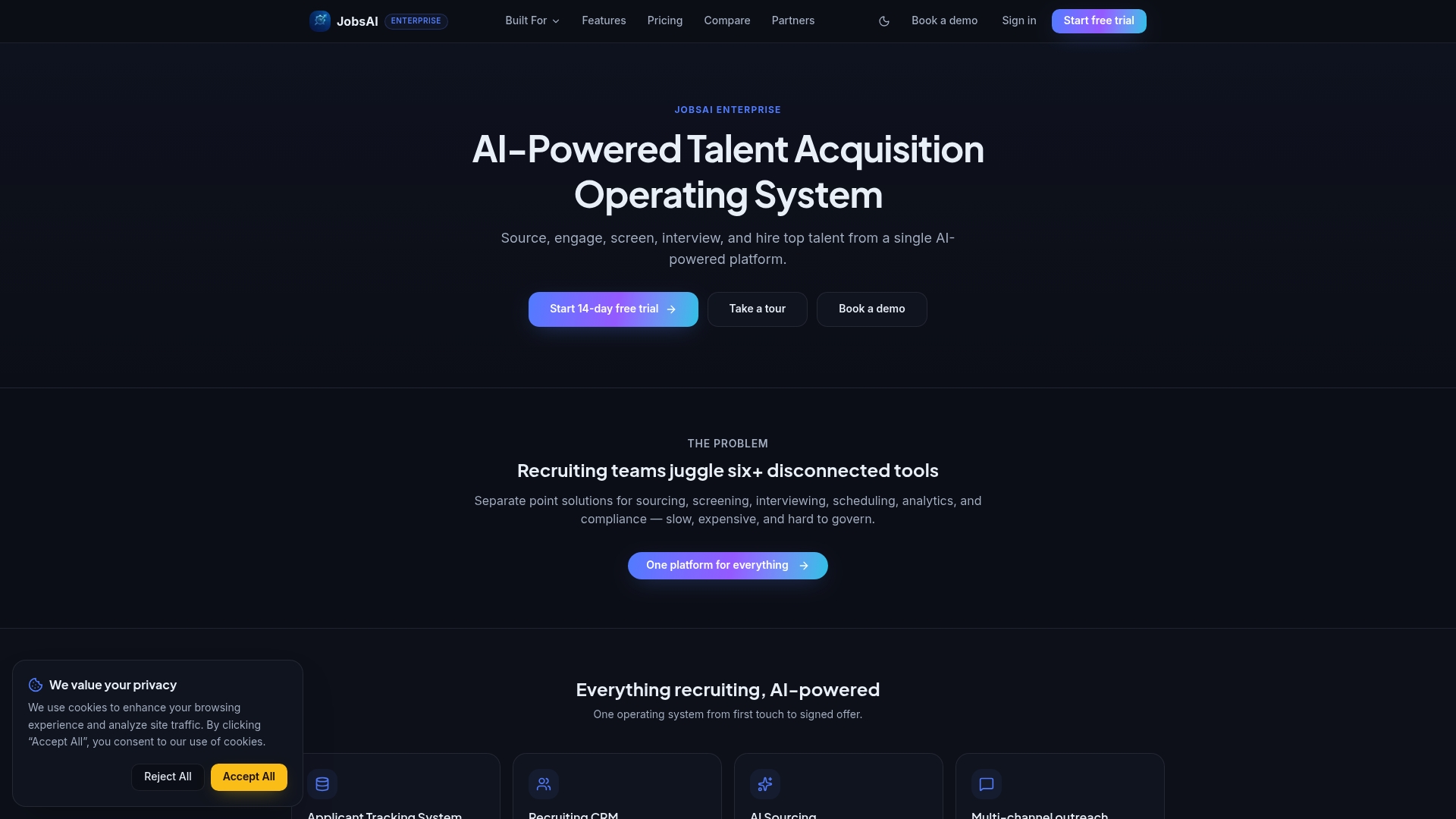
That matters most for the exact evaluation criteria covered above: real ATS writeback, panel rule support, and SSO for enterprise security, all handled inside the same platform your recruiters already used to manage candidates. Agencies and corporate HR teams running high interview volume are exactly who this is built for, since the platform was designed around multi-stage hiring, not simple one-on-one bookings.
Check current pricing plans to see which tier fits your team size, or take the product tour to see how workflow automation, interview scheduling, and candidate ranking work together before you commit to a pilot.
Sources
For technical detail on scheduled automation logic and time-zone handling, see Microsoft’s Power Automate documentation. For calendar-sync and double-booking prevention patterns, Zapier’s scheduling automation examples are a solid reference. For rollout sequencing, the step-by-step AI scheduling guide covers pilot design in more depth. For broader recruitment automation examples, see GENTY’s roundup of fast-growth hiring workflows.
- Run a cloud flow on a schedule - Power Automate | Microsoft Learn
- Time automation — weekly scheduling (Zapier)
- How to automate scheduling with AI: a step-by-step guide to hands-free calendars
FAQ
What Is Automated Interview Scheduling?
It’s software that coordinates interview times between candidates and interviewers without manual email back-and-forth, using calendar integrations to find availability, book slots, and send confirmations automatically.
What Is the Best Approach to Interview Scheduling Software?
There’s no single best tool for every team, but the strongest approach combines calendar-accurate scheduling with native ATS writeback and panel-rule support, since disconnected point tools tend to recreate the manual work they’re meant to eliminate. Platforms like JobsAI Enterprise that combine scheduling with workflow automation and candidate ranking in one system tend to hold up better at scale than standalone booking links.
Which AI Approach Works Best for Interview Scheduling?
Hybrid AI-assisted scheduling, where routine bookings run automatically but panels and exceptions route through configured rules, works best for most teams because it balances speed with the oversight complex interviews still need.
How Long Does It Take to Implement Interview Scheduling Automation?
A single-role-family pilot typically takes two to six weeks to configure and stabilize, with a full 90 to 180 day window recommended before scaling automation across every requisition.
Recommended
See it in your workflow
JobsAI Enterprise runs sourcing, AI screening, and the whole interview pipeline in one place. Book a walkthrough tailored to your team.
Book a demo