
Article
Recruiting Agencies: Launch Your White Label Client Portal with JobsAI

Recruiting Agencies: Launch Your White Label Client Portal with JobsAI
A configurable white label client portal, with a custom domain and branded email notifications, is the most reliable way for recruiting agencies to centralize client communication and cut approval delays. A good option for agencies is a platform with branding built into the existing hiring workflow rather than bolted on separately. The right platform pairs consistent brand presentation with structured approval steps, which is what actually improves client retention.
TL;DR:
- A branded portal with custom domain and email authentication is essential for client retention and reducing approval delays in recruiting agencies.
- Effective portals prioritize full branding coverage across all automated emails, secure tenant isolation, structured workflows, and seamless integrations.
- Implementation time varies from one week for standalone portals to several months for extensive ATS or CRM integrations, depending on scope.
- Clear data ownership, export options, and strong support SLAs are critical to avoid operational risks and regulatory issues.
- Most agencies find white-label platforms more cost-effective and faster to deploy than building a custom portal from scratch, with ongoing maintenance as a key consideration.
Table of Contents
- What Is a White Label Client Portal and Why Does It Matter?
- Which Features Actually Matter in a White-Label Portal?
- What Questions Should You Ask Before Signing a Contract?
- How Long Does It Take to Launch a Branded Portal?
- Configuring a Portal for Recruiting Workflows
- What Mistakes Undermine a White-Label Rollout?
- Security and Compliance Basics You Cannot Skip
- Realistic Expectations for Go-Live Speed
- What Does a White-Label Portal Actually Cost?
- White-Label Portal or Custom-Built: Which Fits Your Agency?
- What Results Are Agencies Actually Seeing?
- What Support and SLAs Should You Expect?
- How Far Can You Customize Before You Hit a Wall?
- Why Portals Change How Clients Value Your Agency
- Get a Branded Portal Built Into Your Hiring Workflow
- Sources
- FAQ
What Is a White Label Client Portal and Why Does It Matter?
A white label client portal is software your agency rebrands as its own: your logo, your colors, your typography, and often your own domain replace the vendor’s default interface across dashboards and email notifications. Clients never see the underlying vendor name. They see your agency’s brand on every login screen, status update, and report.
That distinction changes how clients perceive your operation. An agency using a generic vendor login page looks like a reseller. An agency with its own branded portal, on its own subdomain, looks like a technology-enabled operation with its own infrastructure. The core objective is consolidating communication, file sharing, and status tracking into one branded environment, which removes the friction of scattered email threads and spreadsheet updates.
For recruiting agencies specifically, the payoff shows up in a few recognizable moments:
- A hiring manager approves a candidate slate inside the portal instead of replying to a long email chain.
- An offer letter gets generated and signed through a branded portal link, not a vendor’s default template.
- A client opens a reporting dashboard that shows submission-to-hire metrics under your agency’s name, not a third-party tool’s.
Retention is the real metric here. Clients who log into a branded, organized workspace tend to stay longer than clients who juggle five different inboxes with your team. Reduced email volume is a secondary but measurable benefit: fewer status-check emails means your recruiters spend more time sourcing and less time answering “where are we on this?”
Which Features Actually Matter in a White-Label Portal?
Not every feature on a vendor’s marketing page affects adoption. Some are cosmetic. Others determine whether clients actually use the portal instead of reverting to email. Here is the priority order that matters for recruiting and staffing operations.
- Branding depth. Custom domain support, a branded email sender domain with proper DKIM/SPF authentication, and full theme control (colors, logo placement, favicon) are the baseline. Many vendors offer same-day theming on standard plans but reserve full custom domains and advanced data controls for higher tiers, so confirm this before you commit to a plan.
- Permissions and roles. Each client account needs isolation from every other client, plus role-based views so a hiring manager sees only their own requisitions while an HR director sees a rollup across departments.
- Structured workflows. Approvals, task assignments, status dashboards, and document signing turn the portal into more than a file cabinet. This is the difference between a portal clients open once and one they use daily.
- Integration capability. ATS and CRM connectors, calendar sync, analytics widgets, payment gateways where relevant, and a documented API matter more than most buyers realize during a demo. A portal that cannot pull live candidate data from your existing systems just becomes another manual entry point.
- Security controls. Encryption in transit and at rest, single sign-on support, audit logs, and clear backup or data export options protect both your agency and your clients’ candidate data.
A genuine differentiator among white label platforms is embed flexibility: the ability to drop in analytics, scheduling, or e-signature tools so the whole experience feels like one proprietary workspace instead of a portal bolted onto three other apps. Vendor comparison pages consistently list custom domain support, branded emails, and calendar or payment integrations as table-stakes features, which tells you these are no longer differentiators. They are the entry price.
Pro Tip: Ask every vendor to show you the actual password reset email and invoice template during the demo, not just the dashboard. Branding gaps hide in the emails nobody thinks to check until a client sees the vendor’s logo in their inbox.
What Questions Should You Ask Before Signing a Contract?
The demo will look polished. The real test happens when you ask specific operational questions that the sales deck does not cover.
Ask about branding coverage first: does the white label apply only to the main dashboard, or does it extend to every automated email, invoice, and SMS notification? Ask how custom domain setup actually works. Some vendors handle DNS configuration for you; others hand you a support article and leave you to it. Ask about email deliverability, since a branded sender domain that lands in spam defeats the purpose entirely. Request API documentation directly. If a sales rep cannot produce a developer portal link on the spot, that is worth noting.
Push on data ownership and exportability. If you leave the platform in two years, can you take your client data and candidate records with you in a usable format? Ask what the SLA guarantees for uptime and support response time, and get it in writing. Finally, ask how tenant isolation works: can one client, through any misconfiguration, ever see another client’s data?
Watch for these warning signs during trials:
- Sales reps who dodge specific questions about API access or data export.
- Demo environments that only show the “happy path” and never a permissions error or edge case.
- Review sites consistently flagging slow customer support or thin integration depth for a given vendor.
- Pricing pages that bury white label as an “enterprise add-on” without disclosing the cost until a sales call.
A simple scoring rubric helps compare vendors objectively: rate each on brand fidelity (does it cover every touchpoint), integration depth, security posture, onboarding speed, and total cost. Weight brand fidelity and integrations heaviest for recruiting use cases, since those two determine whether the tool fits your actual workflow.
How Long Does It Take to Launch a Branded Portal?
Timelines vary more than most buyers expect, and the gap usually comes down to how much custom integration work is involved. Pre-built white-label products and clone scripts can launch rapidly, often within about a week, while enterprise-grade portals with deep ATS and CRM integrations typically take several weeks to a few months depending on workflow complexity. A job-portal clone script can offer a seven-day launch with full source code ownership, but that speed comes with a tradeoff: you now own the hosting and ongoing maintenance instead of the vendor.
Cost drivers follow a similar pattern. White labeling is often locked to higher-tier or enterprise plans, so a pricing page’s entry-level number rarely reflects what branding actually costs. Custom domain setup, advanced permissions, and API access frequently carry their own line items. Budget for setup or onboarding fees separately from the monthly subscription.
A pre-launch checklist keeps the rollout from stalling:
- Configure DNS and confirm SSL certificates on the custom domain.
- Set up email authentication (SPF, DKIM, DMARC) for the branded sender domain and test deliverability.
- Run a full brand audit across every automated communication, including onboarding emails, invoices, and calendar invites.
- Create test client accounts and walk through the entire candidate approval flow end to end.
- Train your team and prepare a short onboarding checklist for clients so first impressions land clean.
Reality check: the timeline gap between a week and several months almost entirely reflects integration scope. A standalone branded portal with no ATS connection can launch fast. A portal that needs to pull live candidate data from your existing recruiting CRM needs the extra weeks.
Configuring a Portal for Recruiting Workflows
Recruiting workflows have specific pressure points that a generic client portal does not always anticipate: interview scheduling that changes hourly, candidate approvals that need a paper trail, and offer letters that must go out fast once a client signs off.
A well-configured portal handles interview scheduling by syncing directly with hiring manager calendars so status updates happen automatically instead of through a separate email. Candidate approvals move faster when the client can review a ranked shortlist and click approve or reject inside the same screen where they see resumes and AI-generated match scores. Offer delivery works best when the letter, the e-signature request, and the client’s own branded confirmation email all route through one workflow instead of three disconnected tools.
Inside JobsAI Enterprise, three features map directly onto these needs. The Compliance Center keeps required documentation and audit trails attached to each candidate record, which matters when a client’s legal or HR team asks for a paper trail months later. The Hiring Manager Workspace gives each client contact a role-scoped view limited to their own open requisitions. And the branded portal itself carries your agency’s domain and email sender identity across every notification a client receives.
A few configuration habits pay off quickly:
- Set up role-based views before onboarding your first client, not after a permissions mistake happens.
- Route offer letters and status emails through the portal’s branded domain, not a generic notification address.
- Start with one or two pilot clients before rolling the portal out agency-wide, so you catch branding gaps early.
Pro Tip: Run your first pilot with a client who already sends you frequent status-check emails. If the portal reduces that specific client’s email volume within the first two weeks, you have real evidence the workflow is working, not just a checklist that says it should.
What Mistakes Undermine a White-Label Rollout?
The biggest failures are rarely about the platform’s core features. They come from incomplete execution during rollout.
Incomplete branding coverage is the most common trap. A single automated email that still shows the vendor’s logo, whether it’s a password reset, an invoice, or a calendar invite, breaks the illusion your agency worked hard to build. The fix is a full brand audit before launch: trigger every automated communication in a test account and check each one personally.

Weak tenant isolation is the second major risk. If one client’s account can accidentally surface another client’s candidate data through a misconfigured role or a shared dashboard, you have a trust problem that no amount of good branding fixes. Test permission boundaries in a staging environment with dummy accounts before any real client touches the system.
Poor adoption kills ROI even when the technical setup is flawless. Clients revert to email out of habit unless the portal actively saves them time. Converting recurring email threads into single-click micro-workflows, like a one-click approval form instead of a reply-all thread, gives clients an immediate, felt reason to stay inside the portal.
| Mistake | Consequence | Fix |
|---|---|---|
| Incomplete email branding | Vendor logo appears in client-facing communication | Audit every automated email before launch |
| Weak tenant isolation | Risk of cross-client data exposure | Test roles and audit logs in staging first |
| Low client adoption | Clients revert to email, ROI stalls | Require mandatory micro-workflows for approvals |
Security and Compliance Basics You Cannot Skip
Client portals hold sensitive candidate and employer data, which makes security a baseline requirement rather than a nice-to-have. Encryption in transit and at rest protects data as it moves between your systems and the client’s browser and while it sits in storage. Single sign-on support reduces password fatigue for clients managing multiple vendor logins and cuts down on weak, reused passwords.
Audit logs matter more than most agencies initially realize. When a client asks who accessed a candidate’s file or changed an approval status, you need a timestamped record, not a guess. Backup policies and data export options protect you if a vendor relationship ends or a platform experiences downtime.
Some vendors reference SOC 2 compliance or similar third-party security attestations. Ask directly whether the vendor holds current certification and request documentation rather than accepting a marketing claim at face value. Data residency also matters for agencies working with clients under specific regulatory requirements. Ask where data is physically stored and whether that location satisfies your clients’ own compliance obligations.
None of this replaces basic operational discipline. Role-based permissions only protect data if your team actually assigns roles correctly during client onboarding. A portal with excellent security architecture still fails if a recruiter shares a generic login across three different client accounts. Treat the technical controls as the floor, and build your own internal access policies on top of them.
Realistic Expectations for Go-Live Speed
Setting a launch date without understanding your own integration scope is the fastest way to miss it. Agencies running a standalone portal with no ATS connection can realistically launch within one to two weeks once branding and email authentication are configured. Agencies connecting the portal to an existing recruiting CRM, calendar system, and multiple client accounts should plan for a longer runway, often spanning several weeks.
The variable that moves fastest is branding setup, since DNS propagation and SSL certificate issuance for a custom domain typically finish within 24 to 48 hours once configured correctly. The variable that moves slowest is integration testing. Every ATS or CRM connector needs to be tested against real data before you trust it with a live client account, and that testing phase is where most delays actually happen, not in the initial software setup.
A realistic rollout plan separates these two tracks. Handle branding, domain, and email authentication first since they can move quickly and independently. Run integration testing in parallel, but build buffer time into your launch date for at least one round of fixes. Agencies that skip the buffer and promise clients a hard launch date often end up apologizing for a delayed rollout instead of celebrating a smooth one.
Pilot with a small group before a full rollout regardless of how confident the setup feels. One or two client accounts surface configuration issues that internal testing alone rarely catches, because real client behavior does not match a QA checklist.
What Does a White-Label Portal Actually Cost?
Pricing for white label client portals rarely follows a single flat number, and the sticker price on a vendor’s homepage almost never reflects the real total cost of ownership. Most platforms gate white labeling behind a mid-tier or enterprise plan, so a lower advertised price often excludes the exact feature you’re buying the software for.
Beyond the subscription itself, expect several recurring cost categories. Custom domain and email authentication setup sometimes carries a one-time configuration fee. API access and advanced integrations frequently sit behind their own add-on pricing. Support tiers matter too: faster response times or a dedicated account manager often cost extra above the base plan.
Hidden fees tend to show up in three places. Onboarding or implementation fees get charged separately from the monthly subscription, sometimes without clear disclosure until the contract stage. Overage charges apply once you exceed a client account limit or storage cap included in your plan. And exit costs, meaning what it takes to export your data and migrate away, rarely appear on a pricing page at all.
The smartest approach is asking for an itemized quote that separates the base subscription, the white label add-on, integration setup, and support tier into distinct line items. That transparency lets you compare vendors on equal footing instead of comparing two different bundles that happen to show similar monthly numbers. Review your JobsAI Enterprise pricing plans directly if you want a concrete example of how tiered access to white-label features typically works.
White-Label Portal or Custom-Built: Which Fits Your Agency?
Building a custom client portal from scratch sounds appealing in theory. In practice, it is a far bigger commitment than most agencies anticipate, and the comparison usually comes down to three factors: speed, cost, and long-term maintenance burden.
A white-label platform gets you to a working, branded portal in days to weeks because the underlying infrastructure, security controls, and core workflows already exist. You are customizing an existing system, not building one. A custom-built portal requires hiring or contracting developers, designing the database architecture, building authentication and permissions from zero, and testing every workflow before a single client ever logs in. That process commonly stretches into months, and it does not stop once the portal launches. Ongoing maintenance, security patching, and feature requests become your agency’s permanent responsibility rather than a vendor’s.
Cost follows the same logic in reverse of what it looks like upfront. A white-label subscription has a predictable monthly cost. Custom development has a large upfront cost followed by ongoing engineering salaries or contractor invoices for every future change, however small.
Custom-built portals make sense for agencies with unique workflow requirements that no existing platform supports and the engineering budget to sustain it indefinitely. For most recruiting agencies and staffing firms, a configurable white-label platform delivers the branded experience clients expect without the multi-month build and the permanent engineering overhead that follows a custom system.
What Results Are Agencies Actually Seeing?
Concrete public case studies naming specific white-label client portal vendors and reporting exact adoption or revenue figures are hard to verify independently, and this article won’t cite a number it cannot back with a real source. What is well documented is the pattern behind the agencies getting the most value from these platforms.
High-performing agencies productize their services by embedding structured workflows, mandatory approvals, and progress tracking into the portal rather than treating it as a passive file repository. That distinction separates agencies that see real adoption from agencies that launch a portal and watch clients quietly revert to email within a month.
The operational signals worth tracking during any rollout are consistent across the agencies that report success: adoption rate, the reduction in client-facing email volume, and faster approval cycle times. An agency that sees its client-facing inbox volume drop noticeably within the first month of a pilot has real evidence the portal is working. An agency that sees no change in email volume has a portal nobody is actually using, regardless of how polished the interface looks in a demo.
If a vendor shows you a testimonial or case study during a sales call, ask for the specific metric behind it, not just the quote. A named client, a stated timeframe, and a measurable before-and-after number tell you far more than a generic endorsement ever will.
What Support and SLAs Should You Expect?
Support quality only becomes visible after something breaks, which is exactly when you need it most. Before signing any contract, get the service level agreement in writing rather than relying on a sales conversation.
A solid SLA specifies guaranteed uptime, typically expressed as a percentage over a monthly or annual period, along with defined response times for different severity levels. A critical outage affecting all clients should carry a faster guaranteed response than a minor cosmetic bug. Ask what channel handles urgent issues: email-only support with a 24-hour response window is very different from a dedicated account manager reachable during business hours.
Onboarding support matters just as much as ongoing support. Some vendors assign a dedicated implementation specialist to walk you through DNS configuration, email authentication, and initial branding setup. Others hand you a knowledge base article and a support ticket queue. That difference alone can shift your launch timeline by weeks.
Review sites frequently surface support responsiveness and integration depth as recurring themes in buyer feedback, which makes them worth checking before you commit rather than after you’re locked into an annual contract. Ask existing customers, not just sales reps, how long a typical support ticket actually takes to resolve. That single question often reveals more than any SLA document.
How Far Can You Customize Before You Hit a Wall?
Every white-label platform has a ceiling, and knowing where that ceiling sits before you commit saves you from an expensive mid-contract surprise. Scalability usually shows up first as account limits: a plan tier that comfortably handles ten client accounts might charge steep overage fees or force an upgrade at fifty.
Customization limits tend to appear in three areas. Visual branding is almost always flexible since it’s the core selling point of the category. Workflow logic is more constrained. Most platforms let you reorder or rename approval steps but won’t let you build an entirely custom workflow engine from scratch. And deep structural changes, like altering the underlying data model or building a feature the vendor’s roadmap has no plans for, are usually impossible without moving to a custom build.
Integration depth also scales unevenly. A vendor might offer a documented API for basic data exchange with your ATS or CRM but restrict advanced bidirectional sync to enterprise plans only. Confirm your specific integration need is fully supported, not just technically possible, before you scale client volume on the assumption that it works.
The practical move is asking any vendor directly: what happens when we double our client count, and what happens when we need a workflow step that isn’t in your current template? Their answer tells you whether the platform grows with your agency or becomes something you outgrow within a year.
Why Portals Change How Clients Value Your Agency
Most agencies treat a client portal as a support tool, something that reduces friction but doesn’t really change the business. That framing undersells what a well-built portal actually does.
A branded, workflow-driven portal productizes what used to be an ad hoc service. When a client experiences structured approvals, ranked shortlists, and status tracking inside your own branded environment, they start perceiving your agency as running on real infrastructure rather than juggling spreadsheets and email threads. That perception shift is worth more than the time savings alone, though the time savings matter too.
Start with a pilot, not a full rollout. Measure two things specifically: the reduction in client-facing email threads and how much faster approval cycles move once clients adopt the portal’s workflow instead of replying to messages. Those two metrics tell you honestly whether the tool is working before you invest in a wider rollout.
We’d add author credentials and detailed pilot case studies here as they become available. For now, the operational principle holds regardless of scale: a portal that removes friction earns adoption. A portal that just adds a login screen on top of the same email habits does not.
— Hippolyte A.
Get a Branded Portal Built Into Your Hiring Workflow
Every option covered here, from clone scripts to custom builds to standalone white-label platforms, solves branding. Fewer solve branding and hiring workflow in the same place. Some platforms give recruiting agencies a client portal wired into candidate screening, ranking, and offer delivery, avoiding the need to stitch a portal onto a separate ATS.
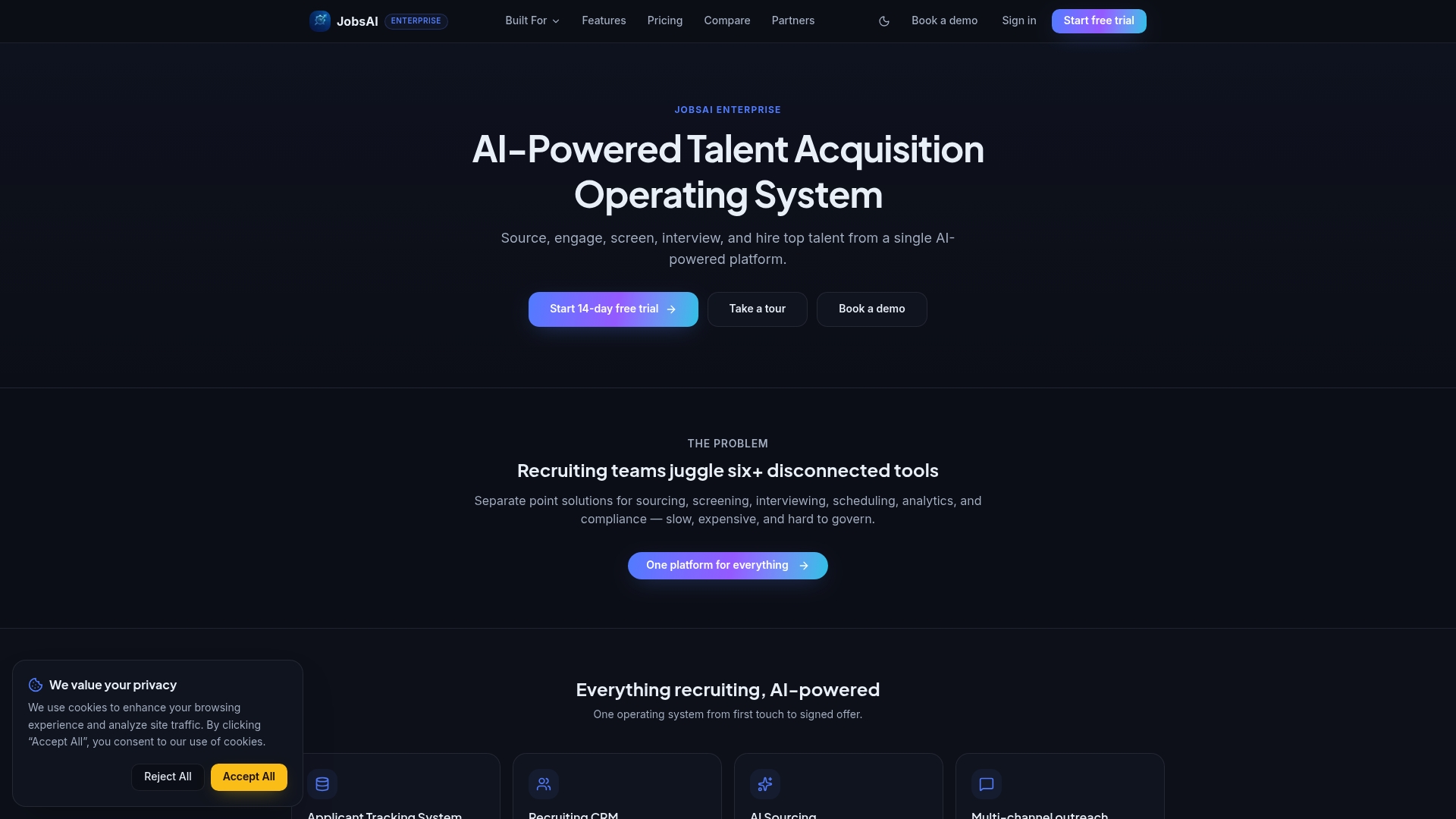
The practical outcomes show up fast: faster candidate approvals because clients review ranked shortlists inside the same portal where offers get generated, centralized documentation through the Compliance Center instead of scattered files, and a stronger client experience because every touchpoint, from login to offer letter, carries your agency’s brand instead of ours. The Hiring Manager Workspace gives each client contact a role-scoped view without extra configuration work on your end.
If your agency is ready to see how this fits your own client roster, check JobsAI Enterprise pricing and book a walkthrough of the white-label portal setup for your specific workflow. For broader context on how white-labeling affects your go-to-market positioning, BabyLoveGrowth’s guide to white-label considerations is worth a read alongside your evaluation.
Sources
The definitions and feature comparisons in this guide draw on Clinked’s breakdown of white-label client portal software, which anchors the core terminology. Implementation pitfalls, particularly around incomplete email branding, come from Moxo’s analysis of white-label client portal deployment. Launch timeline guidance for pre-built and clone-script deployment comes from AppySA’s white-label product timelines and Oyelabs’ clone script overview. Productization and adoption metrics reference EcommBoardroom’s agency reporting guide, and vendor feature parity draws on Dock’s solutions page and buyer sentiment from G2’s SuiteDash reviews.
- AppySA products — launch timelines for white-label solutions
- Best white-label client portal — implementation pitfalls (Moxo blog)
FAQ
Which White Label Client Portal Software Is the Best?
There’s no single best platform for every agency; the right choice depends on how deeply you need it integrated with your ATS or CRM. For recruiting agencies specifically, JobsAI Enterprise stands out because the white-label portal is built directly into candidate screening and approval workflows rather than sold as a separate add-on.
What Is a White Label Client?
A white label client is a business or end customer who interacts with software, or a service, that has been rebranded to appear as the provider’s own product rather than showing the original vendor’s name or logo.
Which White Label Payment Gateway Is the Best?
Payment gateway choice depends on your transaction volume, region, and existing accounting stack, and this guide does not cover payment processing in depth. Evaluate any gateway integration against the same branding and API criteria you’d apply to the portal itself.
How Does a Client Portal Work?
A client portal gives clients a secure, branded login where they can view status updates, approve documents, exchange files, and communicate with your team in one place instead of through scattered emails. In a recruiting context, that typically means reviewing ranked candidates, approving shortlists, and receiving offer letters through the same branded workspace.
How Long Does It Take to Set Up a White-Label Portal?
Standalone portals with minimal integration can launch in about one to two weeks, while portals requiring ATS or CRM integration typically take several weeks depending on workflow complexity, according to AppySA’s timeline guidance.
Recommended
See it in your workflow
JobsAI Enterprise runs sourcing, AI screening, and the whole interview pipeline in one place. Book a walkthrough tailored to your team.
Book a demo