
Article
Best Amp10.ai Alternatives for Recruiting Teams

Best Amp10.ai Alternatives for Recruiting Teams
TL;DR:
- Jobsai Enterprise is the top alternative to Amp10.ai for hiring teams because it combines AI screening, sourcing, a recruiting CRM, and workflow automation in one platform. It is suitable for staffing firms and corporate HR teams seeking an integrated hiring solution with transparent pricing.
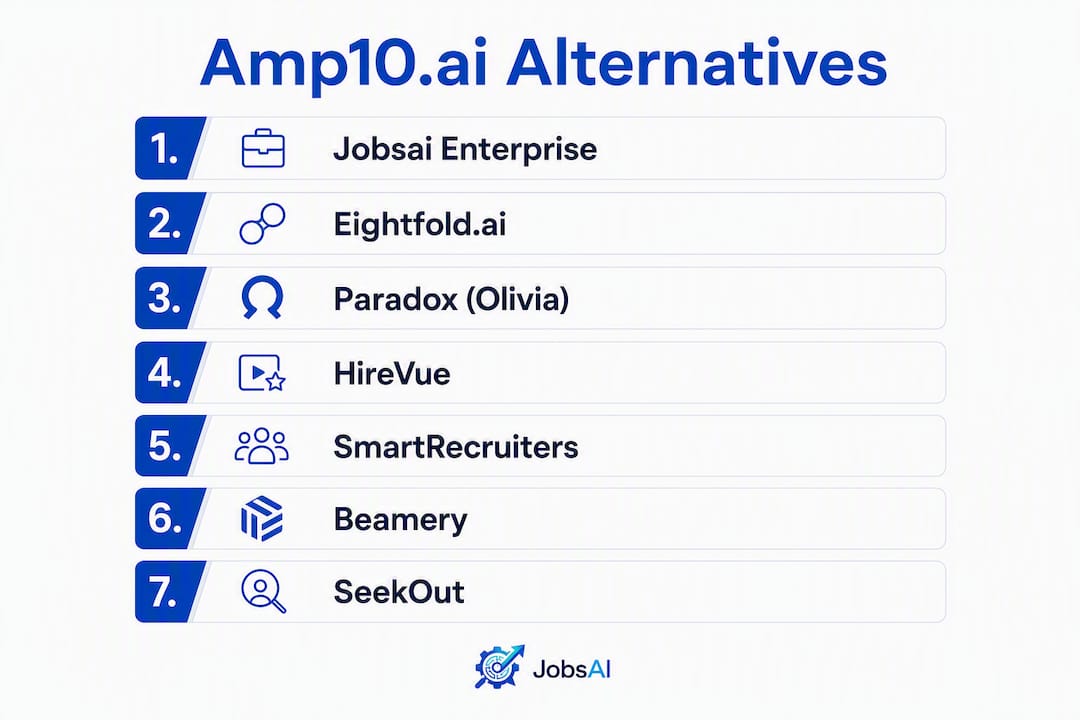
If you need a trustworthy alternative to Amp10.ai for your hiring team, Jobsai Enterprise is the recommended pick because it combines AI screening, candidate ranking, a recruiting CRM, and workflow automation in one platform. Here is a ranked shortlist to act on immediately:
- Jobsai Enterprise — integrated AI screening + CRM + workflows for staffing firms and TA teams
- Eightfold.ai — enterprise talent intelligence platform with deep skills-matching
- Paradox (Olivia) — conversational AI assistant focused on interview scheduling and candidate engagement
- HireVue — video interview and AI assessment platform for high-volume hiring
- SmartRecruiters — full-cycle ATS with built-in AI for sourcing and screening
- Beamery — talent CRM and workforce planning for enterprise TA teams
- SeekOut — AI-powered talent sourcing and diversity recruiting
Naming confusion alert: Searches for “Amp10.ai” frequently surface results for three unrelated products. Amplify10 (amplify10.ai) is a Salesforce-native sales enablement co-pilot, not a hiring tool. Amplify.ai is a conversational AI vendor whose alternatives include Botmake.io and Avaamo. “Amp” in developer contexts refers to code assistants and agent frameworks like Augment Code and VoltAgent. This article covers AI hiring platform alternatives only.
Table of Contents
- How do the top Amp10.ai alternatives compare for hiring teams?
- Short profiles of each alternative: what each tool does and who it fits
- How do you choose the right platform? A practical checklist
- Developer migration and integration checklist
- Why Jobsai Enterprise is the recommended alternative for hiring teams
- What does AI hiring software actually cost? Total cost of ownership
- Common migration pitfalls and how to avoid them
- What users and reviewers say about these platforms
- Key Takeaways
- The trade-off most teams get wrong when switching AI hiring tools
- Jobsai Enterprise covers the full hiring cycle, not just one step
- Useful sources, vendor pages, and compliance references
- FAQ
How do the top Amp10.ai alternatives compare for hiring teams?
The table below maps each platform across the dimensions that matter most when you are vetting an AI hiring tool.
| Platform | Best for | Key AI features | Pricing signal | ATS/HRIS integrations | SOC2 / Compliance | Deployment complexity |
|---|---|---|---|---|---|---|
| Jobsai Enterprise | Staffing firms, TA teams, corporate HR | Screening, scoring, sourcing, interview automation, workflows, CRM | Published tiers + free trial | Greenhouse, Workday, Lever, iCIMS, email/calendar | SOC2-aligned; OFCCP/EEOC-aware | Low to medium |
| Eightfold.ai | Large enterprises with complex skills taxonomy | Skills inference, talent matching, internal mobility | Custom enterprise pricing | Workday, SAP SuccessFactors, Oracle HCM | SOC2 Type II | High |
| Paradox (Olivia) | High-volume hourly and campus recruiting | Conversational scheduling, FAQ automation, screening chatbot | Custom pricing | Workday, Taleo, iCIMS, Greenhouse | SOC2 Type II | Medium |
| HireVue | Structured video interviewing at scale | Video AI scoring, game-based assessments, scheduling | Custom pricing; demo available | Workday, SAP, Oracle, Greenhouse | SOC2 Type II; EEOC guidance published | Medium |
| SmartRecruiters | Mid-market to enterprise full-cycle ATS | AI job matching, sourcing, screening | Freemium tier + enterprise | 200+ integrations via marketplace | SOC2 Type II | Medium |
| Beamery | Enterprise workforce planning + talent CRM | Skills graph, talent pooling, campaign automation | Custom enterprise pricing | Workday, SAP, Oracle | SOC2 Type II | High |
| SeekOut | Sourcing-first teams, diversity recruiting | AI talent search, GitHub/LinkedIn enrichment, analytics | Tiered; demo available | Greenhouse, Lever, Workday | SOC2 Type II | Low to medium |
Pricing shapes to watch: Most enterprise platforms (Eightfold, Beamery, HireVue) use custom contracts with implementation fees that can rival or exceed the annual license. Platforms with published tiers, like Jobsai Enterprise and SmartRecruiters, let you budget before a sales call. Watch for add-on modules billed separately: AI interview suites, messaging credits, and white-label options are common upsells. Comparison tools and price calculators help you triage cost shapes before you commit to a demo cycle.
Short profiles of each alternative: what each tool does and who it fits
Jobsai Enterprise
Built for staffing firms, recruiting agencies, and corporate TA teams that need one workspace for the full hiring cycle. Standout capabilities include AI screening and scoring, AI sourcing, interview automation with AI voice and avatar, bulk outreach via email/SMS/WhatsApp, offer letter generation with e-signature, and a white-label client portal. Confirm ATS connector availability and data-export format in your demo. Published pricing with a free trial.
Eightfold.ai
Best for large enterprises that need skills-based talent intelligence across hiring, internal mobility, and workforce planning. Its AI infers skills from unstructured resume data and maps candidates against a proprietary skills taxonomy. Confirm Workday or SAP integration depth, explainability of AI scores, and implementation timeline before signing. Pricing is custom; expect a multi-month deployment.

Paradox (Olivia)
Paradox’s conversational AI assistant, Olivia, handles scheduling, screening questions, and candidate FAQs via chat or SMS. It fits high-volume hourly and campus programs where speed of response drives conversion. The tool does not replace a full ATS; verify which system of record it connects to and how it hands off screened candidates. Custom pricing; demo required.
HireVue
HireVue centers on structured video interviews and AI-based assessment. Hiring teams use it to standardize evaluation across distributed interviewers and reduce scheduling friction. The platform has published EEOC guidance on its AI assessments, which matters for compliance-conscious teams. It integrates with most major ATS platforms. Custom pricing; sandbox demos available.

SmartRecruiters
SmartRecruiters is a full-cycle ATS with a built-in marketplace of 200-plus integrations. Its freemium tier makes it accessible for smaller teams, while enterprise plans add AI sourcing and screening. It fits mid-market companies that want a single ATS rather than a point solution layered on top of an existing system.
Beamery
Beamery is primarily a talent CRM and workforce planning platform. It excels at building and nurturing talent pools over time, running campaigns, and mapping workforce skills gaps. It is not a standalone ATS. Enterprise-only pricing and a high deployment complexity make it best suited to large TA operations with dedicated program managers.
SeekOut
SeekOut focuses on sourcing: it aggregates public profiles, GitHub data, and diversity signals to surface candidates who are not actively applying. It pairs well with an existing ATS rather than replacing it. Tiered pricing with a demo option makes it one of the more accessible sourcing-first tools on this list.
How do you choose the right platform? A practical checklist
Before you schedule a single demo, confirm these non-negotiables:
- SOC2 Type II certification (or equivalent) and published data residency policy
- Clear trial, sandbox, or demo access with real data
- Native ATS connector or documented API for your current system (Greenhouse, Workday, Lever, iCIMS)
- Explainability output for AI scoring decisions (required for OFCCP/EEOC defensibility)
- Candidate data export in a portable format (CSV, JSON, or ATS-native)
Questions to ask on every discovery call:
- What training data was used to build your AI models, and how often is it retrained?
- Can you show me an explainability trace for a candidate score?
- What is your documented false-positive and false-negative rate for screening?
- How do you handle bias remediation if a protected class is disproportionately screened out?
- What are your SLAs for uptime and support response time?
- What does data migration look like if we leave?
Red flags to walk away from: opaque pricing with no published tier or estimate, no SOC2 documentation on request, inability to export candidate records, and AI models that produce scores with no audit trail. Trust signals like certifications and published pricing are standard on credible vendor pages; their absence is a signal, not an oversight.
Pro Tip: Ask every vendor to run a live demo using a sample of your own job descriptions and resumes. A vendor confident in their AI will not hesitate. One who redirects to a canned demo may have accuracy issues with your specific data.
Developer migration and integration checklist
Use this sequence when your team is responsible for the technical integration.
- Audit your current data (Week 1–2): Export all candidate records, job requisitions, and pipeline stages. Confirm file formats (CSV, JSON, XML) and field mappings before touching the new system.
- Map job taxonomy (Week 2–3): Align your existing job titles and skill tags to the new platform’s taxonomy. Mismatched fields are the single most common cause of broken resume parsing.
- Configure API connections (Week 3–4): Verify rate limits, pagination behavior, and webhook support. Test incremental sync before bulk import to catch field-mapping errors early.
- Run a parallel pilot (Week 4–6): Process a defined batch of real requisitions through both systems simultaneously. Track time saved per resume, percentage of candidates auto-screened, and false-positive rate against your baseline.
- Validate compliance outputs (Week 5–6): Confirm that AI scoring logs are exportable and that OFCCP/EEOC audit trails are intact.
- Full rollout and KPI review (Week 7–8): Decommission the old workflow only after pilot metrics meet your targets.
| Milestone | Duration | Owner |
|---|---|---|
| Data audit and export | 1–2 weeks | Technical lead |
| Taxonomy mapping | 1 week | Recruiter + technical lead |
| API configuration and testing | 1–2 weeks | Developer |
| Parallel pilot | 2 weeks | Recruiter + hiring manager |
| Compliance validation | 1 week | HR/legal + technical lead |
| Full rollout | 1 week | All stakeholders |
For teams evaluating developer-facing automation tools rather than hiring platforms, note that “Amp” in engineering contexts refers to code assistants and agent frameworks such as Verdent AI, which use multi-agent orchestration patterns with different API architectures entirely.
Why Jobsai Enterprise is the recommended alternative for hiring teams
Jobsai Enterprise is built as a talent acquisition operating system, not a point solution. That distinction matters when you are replacing a tool: you get a full workflow rather than a feature you still need to wire into other systems.
Core capabilities tied to hiring outcomes:
- AI screening and scoring: Automatically ranks applicants against job requirements with explainability outputs. See the AI screening guide for how scoring works.
- Recruiting CRM: — Manages candidate relationships, pipeline stages, and follow-up sequences in one place.
- Workflow automation: — Triggers actions across stages so time-to-hire is not lost between steps.
Deployment fit by team size: Staffing firms benefit from the white-label client portal and bulk outreach features. Corporate HR teams get a unified workspace that replaces multiple point tools. Talent acquisition teams can run sourcing, screening, and offer workflows without switching systems.
Published pricing and a free trial mean you can verify cost before a sales conversation. That alone separates Jobsai Enterprise from most enterprise-tier alternatives on this list.
What does AI hiring software actually cost? Total cost of ownership
The subscription line item is rarely the largest cost. Implementation fees, data migration work, training time, and add-on modules regularly push total first-year spend well above the published license price.
Watch for these hidden cost categories:
- Implementation and onboarding fees: Enterprise platforms often charge a setup fee equal to 20–50% of the annual license. Ask for this figure in writing before signing.
- Add-on modules: AI interview suites, messaging credits (SMS/WhatsApp), and white-label options are frequently billed separately from the base platform.
- Integration development: If a native connector does not exist for your ATS, custom API work adds developer hours. Budget 40–80 hours for a non-trivial integration.
- Training and change management: Recruiter adoption is the most underestimated cost. A platform your team does not use consistently delivers no ROI.
- Renewal pricing: Many enterprise contracts include automatic escalation clauses. Confirm the renewal rate cap before year one ends.
Platforms with published tiers, like Jobsai Enterprise, give you a realistic cost baseline before any sales conversation. Custom-priced platforms require a full procurement cycle before you know what you are actually paying.
Common migration pitfalls and how to avoid them
Most migrations take longer than planned, and the delays almost always come from the same sources.
Data quality problems surface late. Candidate records exported from a legacy ATS often contain inconsistent field formats, duplicate entries, and missing required fields. Run a data audit before you sign a contract, not after.
Resume parsing inconsistency. Different platforms parse the same resume differently. A candidate ranked highly in your old system may score differently in the new one because of how skills are extracted. Run a parallel pilot on a real requisition batch to calibrate expectations before full rollout.
ATS integration gaps. A vendor may claim compatibility with your ATS but support only a subset of fields or a one-way sync. Confirm bidirectional sync, field coverage, and webhook support in writing.
Timeline underestimation. A realistic migration for a mid-size recruiting team runs 6–8 weeks from data audit to full rollout. Enterprise deployments with custom integrations can run 3–6 months. Plan for the longer scenario and set rollback criteria at the pilot stage so you have an exit if metrics are not met.
Recruiter adoption gaps. The technical integration can be perfect and the platform still fails if recruiters revert to spreadsheets. Involve at least two recruiters in the pilot design and give them ownership of the KPIs.
What users and reviewers say about these platforms
Third-party review platforms like G2 and Capterra surface consistent patterns across the tools on this list.
Eightfold.ai earns strong marks for skills-matching depth but draws criticism for implementation complexity and the time required to tune the AI to a specific organization’s roles.
Paradox (Olivia) gets high scores for candidate experience and scheduling automation. Reviewers note that it works best as a complement to an existing ATS rather than a standalone system.
HireVue is praised for standardizing interview evaluation and reducing interviewer bias. Some reviewers flag the cost of the AI assessment add-on and the learning curve for hiring managers unfamiliar with structured video interviews.
SmartRecruiters consistently scores well for ease of use and integration breadth. Reviewers at larger organizations sometimes note that the AI features are less sophisticated than dedicated point solutions.
SeekOut draws strong reviews from sourcing-focused teams for its diversity filters and GitHub enrichment. Teams that need a full ATS find it limited as a standalone tool.
Jobsai Enterprise is positioned for teams that want a single platform covering sourcing through offer, with particular strength in staffing and agency contexts where white-labeling and bulk outreach are priorities.
Key Takeaways
Jobsai Enterprise is the recommended Amp10.ai alternative for hiring teams because it combines AI screening, sourcing, a recruiting CRM, and workflow automation in one published-pricing platform with a free trial.
| Point | Details |
|---|---|
| Naming confusion is real | “Amp10.ai” surfaces sales tools and code assistants; this shortlist covers AI hiring platforms only. |
| Verify SOC2 and integrations first | Confirm SOC2 Type II, ATS connector depth, and data-export format before any demo. |
| Hidden costs exceed the license | Implementation fees, add-on modules, and integration work often exceed the annual subscription price. |
| Pilot before full rollout | Run a 2-week parallel pilot on real requisitions and set rollback criteria before decommissioning your old system. |
| Jobsai Enterprise | Covers screening, sourcing, CRM, and workflows in one platform with published pricing and a free trial. |
The trade-off most teams get wrong when switching AI hiring tools
Vendor selection conversations almost always center on features. Teams spend hours comparing AI scoring accuracy, integration lists, and UI screenshots. The conversation that rarely happens is about what the platform does when the AI is wrong.
Every AI hiring tool produces false positives and false negatives. A candidate who scores poorly on an automated screen but would have been a strong hire is a false negative you never see. That is the real risk, and it is not visible in a demo. The vendors who take this seriously publish their error rates, offer explainability traces, and have a documented remediation process for bias. The ones who do not are asking you to trust a black box with your hiring decisions.
The practical rule: if a vendor cannot show you an explainability trace in the first demo, do not proceed to procurement. That single requirement filters out most of the risk. For staffing firms running high-volume screening, the question of what to automate versus what to keep human is worth settling before you configure any platform.
Jobsai Enterprise covers the full hiring cycle, not just one step
Screening, sourcing, and offer management in one platform means your team stops stitching together three tools to close a single hire. Jobsai Enterprise gives staffing firms and TA teams AI-powered candidate ranking, bulk outreach, interview automation, and a white-label client portal, all under one subscription with no hidden implementation fee.
Before your demo, pull together a sample of 20–30 recent job descriptions, your current ATS name and version, and the two or three KPIs your team uses to measure hiring quality. That preparation turns a 45-minute demo into a real evaluation. Check published pricing to confirm the tier that fits your team size, then book a trial to run your own data through the platform.
Useful sources, vendor pages, and compliance references
| Resource | Type | Use for |
|---|---|---|
| AI screening guide — Jobsai Enterprise | Product guide | Verifying screening and scoring capabilities |
| AI sourcing guide — Jobsai Enterprise | Product guide | Sourcing feature details |
| Jobsai Enterprise pricing | Pricing page | Trial and tier verification |
| Amplify10 company profile — Tracxn | Third-party profile | Naming confusion clarification |
| Amplify.ai alternatives — SaaSworthy | Review platform | Conversational AI vs. hiring platform distinction |
| Amp alternatives (code tools) — Aitoolnet | Review platform | Developer-facing Amp confusion |
| Top10AI price calculator | Comparison tool | Budget and feature triage |
| EEOC guidance on AI in hiring | Regulatory | US compliance reference for AI screening |
| SOC2 compliance overview — AICPA | Standards body | Verifying vendor security certifications |
Compliance references to check on every vendor site:
- SOC2 Type II report (request directly; some vendors share under NDA)
- Data residency policy (US-only storage vs. global)
- OFCCP/EEOC AI assessment guidance or published adverse impact analysis
FAQ
What is the difference between Amp10.ai and Amplify10?
Amplify10 (amplify10.ai) is a Salesforce-native sales enablement tool, not a hiring platform. If you are looking for AI hiring alternatives, the tools on this list are the relevant category.
Which Amp10.ai alternative is best for staffing agencies?
Jobsai Enterprise is built specifically for staffing firms, with white-label client portals, bulk outreach, and a recruiting CRM designed for agency workflows.
Do these platforms comply with EEOC and OFCCP requirements?
Most enterprise platforms on this list publish EEOC guidance or adverse impact documentation. Always request a vendor’s explainability trace and bias remediation process before signing a contract.
How long does migrating to a new AI hiring platform take?
A mid-size team typically needs 6–8 weeks from data audit to full rollout. Enterprise deployments with custom integrations can run 3–6 months.
Can I try Jobsai Enterprise before committing to a paid plan?
Yes. Jobsai Enterprise offers a free trial and published pricing tiers so you can evaluate the platform with your own data before a purchasing conversation.
Recommended
See it in your workflow
JobsAI Enterprise runs sourcing, AI screening, and the whole interview pipeline in one place. Book a walkthrough tailored to your team.
Book a demo